Step by Step Lean Six Sigma Process Mapping Guide for 2026
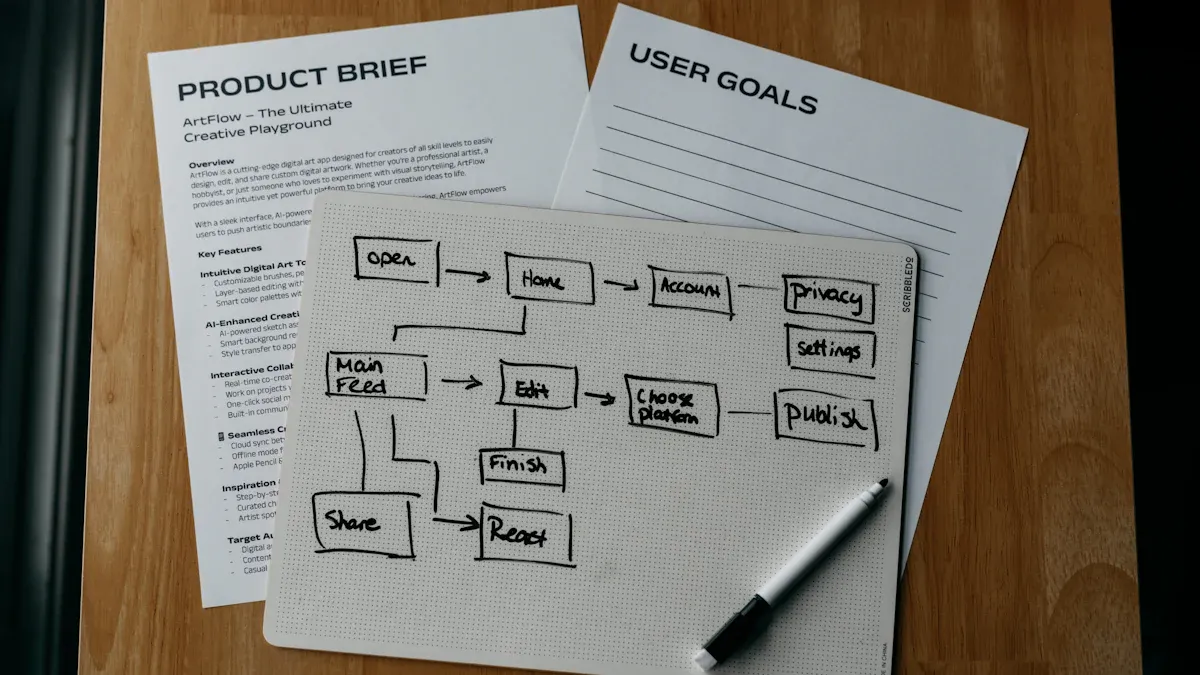
This guide leads organizations through Lean Six Sigma Process Mapping, showing each step with clarity. In 2026, 82% of Fortune 500 companies use Lean Six Sigma to improve efficiency and reduce waste. The process map offers a visual tool that helps teams discover hidden problems and optimize daily operations for both clients and customers. Many companies have seen results such as cost savings, reduced cycle times, and less pollution after applying these optimization steps. Following this approach helps organizations build a strong foundation for continuous improvement.
Organization | Measurable Outcome |
|---|---|
Ford Motors | $2.19 billion in waste reduction |
Aerospace Manufacturer | 46% reduction in cycle time |
3M's Pollution Prevention | $1 billion saved, less pollutants |
Key Takeaways
Lean Six Sigma Process Mapping helps organizations visualize workflows, making it easier to identify inefficiencies and improve operations.
Setting clear objectives and defining the project scope are crucial first steps in successful process mapping.
Engaging diverse team members in mapping sessions fosters collaboration and leads to more accurate process maps.
Using standard symbols and conventions in process maps enhances clarity and ensures everyone understands the workflow.
Regularly updating process maps keeps them relevant and accurate, supporting continuous improvement efforts.
Choosing the right type of process map, like SIPOC or value stream maps, aligns with project goals and complexity.
Tracking key metrics after implementing changes helps teams measure success and identify areas for further improvement.
Collaborative review sessions allow teams to share insights and refine process maps, leading to better outcomes.
Lean Six Sigma Process Mapping Overview
What Is Process Mapping
Process mapping creates a visual representation of a workflow. Teams use diagrams to show each step in a process. This method helps people see how tasks connect and where problems may exist. Lean Six Sigma Process Mapping gives organizations a clear roadmap for improvement. It allows everyone to understand the sequence of activities and the flow of information. By drawing out each step, teams can spot inefficiencies and make better decisions.
Process maps use shapes and arrows to show actions, decisions, and outcomes. These visuals make complex processes easier to understand. People can quickly identify where tasks overlap or where delays occur. This clarity helps teams work together and find solutions faster.
Why Process Maps Matter
Process maps play a vital role in Lean Six Sigma projects. They help teams visualize the entire workflow, making it easier to find defects, redundancy, and waste. The graphical nature of process maps improves communication and efficiency. When everyone sees the same diagram, misunderstandings decrease.
Objective | Description |
|---|---|
Provides a step-by-step view to improve understanding and insights into the process. | |
Identify defects, redundancy, and waste | Helps pinpoint inefficiencies, saving time and effort in the long run. |
Streamline operations and improve processes | Highlights issues clearly, facilitating easier improvements and future state mapping. |
Facilitate collaboration | Serves as a communication tool to create a common understanding among team members. |
Mapping processes together breaks down silos. Colleagues gain insight into each other’s roles and responsibilities. This builds empathy and strengthens communication. Teams trust each other more and collaborate better.
Key Benefits for Teams
Teams gain several advantages from process mapping. Visual workflows help everyone understand their roles. This shared understanding fosters collaboration and reduces errors. When teams use process maps, they see measurable improvements.
Metric Description | Numerical Evidence |
|---|---|
Process cycle time reduction | |
Rework reduction | Reduced by 80% |
Employee turnover decrease | 14.9% reduction |
Productivity growth | 0.8% to 1.4% gains from automation |
Process maps help teams work together more efficiently.
Clear diagrams reduce mistakes and speed up decision-making.
Improved communication leads to fewer misunderstandings.
Lean Six Sigma Process Mapping gives teams a powerful tool to visualize, analyze, and improve their workflows. By using process maps, organizations build a foundation for continuous improvement and lasting success.
Getting Started with Process Mapping
Define Process and Goals
Set Objectives
Teams begin by setting clear objectives for the process mapping project. Objectives must align with organizational goals and follow the SMART criteria. Each goal should be specific, measurable, achievable, relevant, and time-bound. Teams identify what they want to improve, such as reducing cycle time or increasing yield. This clarity helps everyone stay focused.
Project scope defines boundaries, including which processes, departments, or products fall within control.
Goals specify quantifiable outcomes, like reducing defects per unit or improving efficiency.
Key stakeholders include sponsors, team members, customers, and suppliers. Understanding their needs ensures project success.
Setting objectives creates a strong foundation for process mapping. Teams avoid scope creep and maintain focus throughout the project.
Determine Scope
Scope determination prevents teams from drifting away from the main purpose. Teams outline which areas to include and which to exclude. They document boundaries, such as locations or departments involved. This step ensures that the mapping effort remains manageable and relevant.
Build Your Team
Assign Roles
Selecting the right team members is crucial. Each person brings unique expertise and perspective. The following table shows common roles in Lean Six Sigma process mapping:
Role Type | Description |
|---|---|
Process Owners | Individuals with direct responsibility for the process. |
Subject Matter Experts | Experts with deep knowledge of specific areas. |
Department Representatives | Members from all departments that interact with the process. |
Neutral Facilitator | Unbiased individual who guides mapping sessions. |
Teams include process owners, subject matter experts, and department representatives. A neutral facilitator guides the session and keeps discussions productive.
Engage Stakeholders
Stakeholder engagement ensures accuracy and completeness. Teams involve process owners and team members in reviewing maps. Regular updates reflect changes in relationships and project conditions. Surveys, feedback forms, and social media provide additional input from clients or users.
Collaborative mapping sessions allow everyone to share information and check the map together. Teams identify key data points and capture exceptions during these sessions.
Gather Data
Identify Sources
Teams collect data from multiple sources to build a complete picture. Common sources include:
Surveys and questionnaires
Interviews and focus groups
Observations and direct measurements
Historical data analysis
Teams use measurable indicators like cycle time, yield, and efficiency to monitor performance. Quantitative data, combined with team experience, reveals gaps and inefficiencies.
Ensure Data Quality
Ensuring data quality is essential. Teams document process variations to see where actual workflows differ from intended ones. They pre-plan data collection to avoid guessing key metrics. Diverse participants, such as front-line staff and supervisors, contribute to accurate mapping. Teams perform Gemba walks to observe real operations. Materials like whiteboards and sticky notes help facilitate effective sessions.
Assigning action items at the end of each session keeps the mapping process organized. Teams set follow-up dates to review progress and maintain momentum.
Choosing a Process Map Type
Selecting the right process map helps teams visualize workflows and identify improvement opportunities. Lean Six Sigma offers several mapping tools, each with unique strengths. Understanding these types allows teams to match the right tool to their project needs.
SIPOC, Swimlane, Value Stream
Teams often choose from three main process map types: SIPOC diagrams, swimlane maps, and value stream maps. Each type serves a different purpose in Lean Six Sigma projects.
SIPOC Diagram: This map summarizes Suppliers, Inputs, Process, Outputs, and Customers. Teams use SIPOC diagrams to gain a high-level view of a process. SIPOC helps clarify what enters and exits a process and who is involved.
Swimlane Map: Swimlane maps show how tasks move between departments or roles. Each lane represents a team or function. This format highlights handoffs and responsibilities.
Value Stream Map: Value stream maps provide a broad view of how value flows through a process. These maps distinguish between value-added and non-value-added steps. Teams use value stream maps to spot waste and analyze data points.
Tip: Teams should start with a SIPOC diagram for a quick overview. They can then use swimlane or value stream maps for deeper analysis.
The table below compares key features of common process maps:
Type of Process Map | Key Features |
|---|---|
Flowchart | Uses shapes and arrows to represent steps, helps identify issues, and supports team collaboration. |
Value Stream Map | Provides a broad view of value flow, identifies waste, and includes data points for analysis. |
SIPOC Diagram | Summarizes process components at a high level, clarifying inputs and outputs for process improvement. |
Selecting the Right Map
Criteria for Choice
Teams should consider several factors when choosing a process map:
Project Goal: Teams define what they want to achieve. For example, a SIPOC diagram works best for understanding the big picture. A value stream map fits projects focused on reducing waste.
Process Complexity: Simple processes may only need a flowchart. Complex workflows with many handoffs benefit from swimlane or value stream maps.
Audience: Teams select maps that match the knowledge level of their audience. Leaders may prefer SIPOC diagrams, while process owners might need detailed swimlane maps.
Data Needs: Value stream maps include data points like cycle time and inventory. Teams needing this information should choose value stream mapping.
Use Case Examples
A manufacturing team wants to reduce lead time. They use a value stream map to track material flow and identify bottlenecks.
A customer service group needs to clarify roles. They create a swimlane map to show how requests move between agents and supervisors.
A project team starts a new improvement initiative. They build a SIPOC diagram to outline suppliers, inputs, and outputs before diving into details.
Choosing the right process map sets the stage for successful Lean Six Sigma projects. Teams gain clarity, improve communication, and focus their improvement efforts.
Creating a Lean Six Sigma Process Map

A well-constructed process map forms the backbone of Lean Six Sigma Process Mapping. Teams use these maps to visualize workflows, identify inefficiencies, and drive improvements. Following standard symbols and conventions ensures that everyone interprets the map the same way, which is essential for effective communication and collaboration.
Standard Symbols and Conventions
Common Symbols
Teams rely on a set of standard symbols to create clear and consistent process maps. These symbols help everyone understand the flow of activities, decisions, and data. The table below outlines the most common symbols used in Lean Six Sigma Process Mapping:
Symbol Type | Description |
|---|---|
Arrows or Outgoing Flows | Indicate the exit or output of materials, data, or resources from a particular activity or process. |
Parallelograms or Rounded Rectangles | Signify outputs generated, such as final products or information resulting from a task. |
Decision Symbols | Represent points in a workflow where decisions are made, typically shown as diamond shapes. |
Deliverable Symbols | Highlight products or services generated by a process, clarifying tangible outcomes. |
Data Symbols | Depict handling, storage, or transformation of data within a workflow, indicating data flow points. |
Using these symbols creates a universal language for process maps. This practice makes it easier for teams from different backgrounds to collaborate and understand the workflow.
Visual Clarity Tips
Maintaining visual clarity is crucial for effective process mapping. Teams should keep diagrams simple and avoid unnecessary details. Consistent use of colors, fonts, and line styles helps readers follow the flow. Placing symbols in logical order from left to right or top to bottom improves readability.
Use clear labels for each step and decision point.
Limit the number of symbols on one page to prevent confusion.
Group related activities together to show connections.
Leave enough space between symbols for easy viewing.
Organizations that follow industry-standard symbols and conventions create process maps that are easy to interpret. This consistency supports better communication among stakeholders and enables teams to reuse and automate their maps. Many companies adopt standards like BPMN to ensure everyone uses the same visual language.
Note: Standard symbols and conventions improve clarity and consistency, making process maps accessible to a wide audience. This approach supports collaboration and helps teams avoid misunderstandings.
Mapping Steps
Sequence Activities
Teams follow a series of steps to create an effective Lean Six Sigma process map. The process begins with identifying the workflow to map. Teams focus on operations with suspected inefficiencies or high impact. They gather information about each step, including who is responsible and what happens at each stage.
Identify the process to map, focusing on key operations.
Gather information through observations, interviews, or data collection.
Draw the map, starting with the beginning and end points.
Fill in each step in the correct order using standard symbols.
Review the map with the team to ensure accuracy.
Analyze the map to find waste, bottlenecks, or improvement opportunities.
Plan improvements based on the analysis.
Teams should involve all relevant stakeholders during mapping sessions. This approach ensures that the map reflects the actual workflow, not just the intended process.
Document Inputs/Outputs
Documenting inputs and outputs for each step provides a complete view of the process. Inputs include materials, information, or resources needed to start an activity. Outputs are the results or products generated by each step. Teams use symbols like parallelograms or rounded rectangles to show these elements on the map.
List all inputs required for each activity.
Identify outputs produced at every stage.
Use arrows to show how inputs move through the process and become outputs.
Highlight decision points where the process can change direction.
Accurate documentation of inputs and outputs helps teams spot gaps, redundancies, or unnecessary steps. This information supports data-driven decisions and continuous improvement.
Practical Tips, Templates, and Tools for 2026
Teams in 2026 have access to advanced digital tools and templates that simplify Lean Six Sigma Process Mapping. These resources help teams create, edit, and share process maps efficiently.
5 Whys and 8D Problem Solving templates
Quality Issue Manager for tracking defects
AI Process Automation for real-time mapping
RACI charts for role clarity
Swimlane diagrams and SIPOC templates
High-level and detailed process map templates
5S Maps and Spaghetti Diagrams for visualizing movement
Diagram Maker tools with drag-and-drop features
Tip: Teams should choose tools that integrate with their existing systems and support collaboration. Many platforms now offer cloud-based sharing and real-time editing.
Templates and examples save time and ensure consistency. Teams can start with a SIPOC diagram for a high-level view, then use swimlane or value stream maps for detailed analysis. Digital tools allow for easy updates and version control, making process mapping more efficient.
Lean Six Sigma Process Mapping becomes more effective when teams use the right symbols, follow clear steps, and leverage modern tools. This approach leads to better communication, faster problem-solving, and continuous improvement.
Analyzing and Improving the Process
Find Inefficiencies
Teams use Lean Six Sigma Process Mapping to make workflows visible and easy to understand. By drawing out each step, they can spot where errors or delays happen. Visual diagrams help teams see bottlenecks and areas where work slows down. This approach allows organizations to focus on the parts of the process that need the most attention.
Spot Bottlenecks
Bottlenecks are points in a process where work piles up or slows down. Teams look for these by reviewing the process map and checking where tasks take longer than expected. They also watch for steps that have more errors or require extra effort. The following table shows a step-by-step method for finding inefficiencies:
Step | Description |
|---|---|
Identify the Process | Define the process suspected to have inefficiencies. |
Gather Information | Collect details about the process through observations and interviews. |
Draw the Map | Create a visual representation of the process steps. |
Review the Map | Ensure accuracy by reviewing with team members. |
Analyze the Map | Identify waste and bottlenecks using the map. |
Plan for Improvement | Develop a plan to enhance the process based on analysis. |
Process mapping gives teams a clear view of where delays or mistakes happen. For example, FedEx increased aircraft maintenance checks from 14 to 30 each year by finding slow steps. An automotive manufacturer cut production time by 15%. Some organizations saw a 40% drop in supply chain delays after using these methods.
Root Cause Analysis
After finding a bottleneck, teams need to understand why it happens. Root cause analysis helps them dig deeper. They ask questions like, "What causes this delay?" or "Why does this error keep happening?" Teams often use tools like the "5 Whys" to get to the bottom of the problem. By finding the real cause, they can fix the issue instead of just treating the symptoms.
Tip: Teams should focus on facts and data, not guesses, when searching for root causes.
Team Collaboration
Working together helps teams get the most out of process mapping. Collaboration ensures that everyone shares their knowledge and checks the map for accuracy.
Review Sessions
Teams hold review sessions to look at the process map together. In these meetings, everyone shares information and checks if the map matches what really happens. They identify key data points, such as how long each step takes or where delays occur. Teams also note any unusual cases or problems that might not happen every time.
Teams meet to review the process map.
Each member shares their experience and insights.
They write down improvement ideas but focus first on understanding the current process.
A second facilitator can help guide the session, especially for complex workflows.
Teams assign action items so everyone knows what to check or improve next.
Collect Feedback
Feedback helps teams improve the process map and the process itself. They collect feedback from all stakeholders, including those who do the work every day. The table below shows two strategies that help teams work better together:
Strategy | Description |
|---|---|
Engage Stakeholders Early | Involving stakeholders in the validation process promotes collaboration and alignment with goals. |
Implement Feedback Loops | Establishing mechanisms for ongoing feedback enables continuous adjustments based on team input. |
Teams use feedback to make sure the map stays accurate and useful. They update the map as processes change, keeping everyone on the same page. This ongoing collaboration leads to better results and continuous improvement.
Designing the Future State

Brainstorm Solutions
Teams use brainstorming sessions to generate ideas for improving the process. They gather members from different departments to share their perspectives. This approach helps teams find creative solutions and address root causes of problems.
Lean Tools
Lean tools help teams remove waste and make processes more efficient. Some common Lean tools include:
5S: Organizes the workplace by sorting, setting in order, shining, standardizing, and sustaining.
Kaizen: Encourages small, continuous improvements from all team members.
Kanban: Visualizes work and limits work in progress to reduce bottlenecks.
Poka-Yoke: Prevents mistakes by designing error-proof steps.
Teams select the tools that fit their goals. For example, they might use 5S to organize a workspace or Kanban to manage workflow.
Six Sigma Tools
Six Sigma tools focus on reducing variation and improving quality. Teams often use:
DMAIC: Defines, measures, analyzes, improves, and controls the process.
Fishbone Diagram: Identifies possible causes of a problem.
FMEA (Failure Modes and Effects Analysis): Finds and addresses potential failures before they happen.
Control Charts: Tracks process performance over time.
Teams choose tools based on the type of problem they want to solve. DMAIC works well for complex issues, while control charts help monitor ongoing results.
Teams should match the right tool to the problem for the best results.
Map the Improved Process
After brainstorming, teams design the future state process map. This map shows how the improved process will work. Teams follow a clear set of steps to create this map.
Visualize Changes
Teams start by listing all the steps in the improved process. They arrange these steps in the correct order. Every action, decision point, and handoff appears on the map. Teams walk through the process together, using input from different departments. This approach ensures the map reflects the real workflow.
Steps for Mapping the Improved Process:
List all steps in the future state process.
Arrange steps in the correct sequence.
Include every action, decision, and handoff.
Review the map with team members from all departments.
Teams use tools like SIPOC diagrams to clarify the scope before adding details. They define clear goals, such as reducing delays or improving quality. This focus helps prevent unnecessary complexity.
Compare States
Teams compare the current and future state maps to see improvements. They look for changes in steps, handoffs, and decision points. A table helps highlight the differences:
Aspect | Current State | Future State |
|---|---|---|
Number of Steps | 15 | 10 |
Handoffs | 6 | 3 |
Decision Points | 4 | 2 |
Average Cycle Time | 8 days | 4 days |
Comparing both maps helps teams measure progress and set targets for improvement.
Teams use these insights to communicate changes and prepare for implementation. This process builds a strong foundation for continuous improvement.
Implementation and Monitoring
Action Plan
A strong action plan helps teams move from mapping to real improvement. Each phase of Lean Six Sigma guides teams through clear steps. Teams use these phases to organize their work and keep everyone focused.
Phase | Description |
|---|---|
Define | Identify the problem and set specific, measurable objectives to improve customer satisfaction. |
Measure | Collect data on current process performance to quantify the identified problem. |
Analyze | Examine data to determine root causes of performance issues using analysis tools. |
Improve | Implement solutions to eliminate root causes and enhance process efficiency. |
Control | Monitor the improved process to sustain changes and prevent regression to previous inefficiencies. |
Assign Tasks
Teams assign tasks to the right people for each phase. Clear roles help everyone know what to do and when to do it. Project leaders match tasks to team members’ skills. For example, data collection goes to those with measurement experience. Improvement actions go to those who work directly in the process.
Assign each task to a specific person.
Set deadlines for every step.
Track progress with checklists or digital tools.
Clear task assignments keep projects on schedule and prevent confusion.
Communicate Changes
Teams must share updates with everyone involved. Good communication helps people understand what will change and why. Leaders use meetings, emails, or dashboards to keep everyone informed. Visual aids, such as updated process maps, make changes easy to see.
Hold regular meetings to discuss progress.
Use simple charts or diagrams to explain updates.
Encourage questions and feedback from all team members.
Track Results
Tracking results shows if the new process works as planned. Teams use key metrics to measure progress and spot problems early.
Metric Category | Example Metrics |
|---|---|
Daily Quality Metrics | Daily tracking of quality and output |
Operational Efficiency | Cycle time, productivity, waste |
Employee Engagement | Participation rates, satisfaction |
Review Practices | Regular reporting and adjustments |
Key Metrics
Teams select metrics that match their goals. For example, they track cycle time to see if work moves faster. They measure quality to check for fewer errors. Employee engagement metrics show if people support the new process.
Monitor daily output and quality.
Measure how long each step takes.
Track employee participation in improvement efforts.
Continuous Improvement
Teams do not stop after the first round of changes. They review results and look for new ways to improve. Regular check-ins help teams catch problems before they grow. Feedback from team members leads to better solutions.
Continuous improvement keeps processes strong and helps organizations stay competitive year after year.
Common Pitfalls in Process Mapping
Process mapping helps teams see how work flows, but mistakes can make maps confusing or useless. Many organizations face similar problems when they create process maps for Lean Six Sigma projects. Recognizing these pitfalls helps teams avoid wasted effort and build better maps.
Mapping Mistakes
Overcomplication
Teams sometimes add too many details or steps to a process map. This makes the diagram hard to read and understand. Overcomplicated maps slow down improvement efforts and confuse team members. Common causes include using too many lanes, adding unnecessary symbols, or failing to group related activities.
Mistake | Impact |
|---|---|
Too many lanes | Makes diagrams complex and hard to follow |
Unclear lane labels | Causes confusion about responsibilities |
Outdated diagrams | Leads to errors and missed tasks |
Lack of stakeholder input | Reduces accuracy and buy-in |
Teams also struggle when they do not number or label process steps. This oversight leads to confusion and makes it difficult to track progress.
Missing Input
Missing input is another frequent mistake. Teams sometimes forget to involve key people or skip important data. Without input from all stakeholders, maps may not reflect the real process. This lack of information reduces accuracy and can cause teams to miss hidden problems.
Poor process scoping
Lack of stakeholder input
Inconsistency in map details
Lack of maintenance
Maps that do not get regular updates quickly become outdated. Outdated diagrams lead to errors and missed tasks.
How to Avoid Issues
Simplify Maps
Teams should keep process maps simple and clear. They can group related steps and use standard symbols. Limiting the number of lanes and steps makes diagrams easier to follow. Regular reviews help keep maps up to date and accurate.
Tip: Number and label each process step. This practice helps everyone track progress and understand the workflow.
Teams should avoid adding unnecessary details. Focusing on the main steps and decisions keeps the map readable.
Engage Team
Involving team members from different departments uncovers hidden issues. Cross-functional teams create more accurate maps and find improvements faster. Gathering feedback from users and stakeholders helps align the map with project goals.
Involve diverse team members in mapping sessions
Use feedback from users and stakeholders to refine maps
Hold regular review meetings to update diagrams
Continuous feedback allows teams to improve maps over time. Regular updates ensure that maps reflect the current process and support ongoing improvement.
Note: Engaged teams build better maps and achieve faster results. Collaboration leads to stronger buy-in and lasting change.
Lean Six Sigma Process Mapping gives systems and teams a clear path to improvement. Clients at systems and teams have seen faster workflows, fewer errors, and better communication. Readers can start by using templates, joining a Lean Six Sigma community, or launching a pilot project. For more support or details, they can reach out to learn more. Every process can improve with the right tools and teamwork.
FAQ
What is the main purpose of Lean Six Sigma process mapping?
Lean Six Sigma process mapping helps teams see each step in a workflow. This visual tool makes it easier to find waste, errors, or delays. Teams use maps to improve efficiency and quality.
Which process map should a team use first?
Most teams start with a SIPOC diagram. This map gives a high-level overview of suppliers, inputs, process steps, outputs, and customers. It helps teams understand the big picture before adding details.
How often should teams update their process maps?
Teams should review and update process maps whenever a process changes. Regular updates keep maps accurate. Many organizations check their maps during improvement projects or after major changes.
Can digital tools make process mapping easier?
Yes. Digital tools allow teams to create, edit, and share maps quickly. Many platforms offer templates, real-time collaboration, and cloud storage. These features help teams work together, even from different locations.
What are common mistakes in process mapping?
Teams sometimes add too much detail or forget to involve key people. Overcomplicated maps confuse users. Missing input leads to incomplete maps. Regular reviews and team feedback help avoid these problems.
How does process mapping support continuous improvement?
Process maps show how work flows. Teams use them to spot problems and track changes. By comparing current and improved maps, teams measure progress and find new ways to improve.
Who should participate in process mapping sessions?
Teams should include process owners, subject matter experts, and people who do the work daily. Involving different roles ensures the map reflects the real process and uncovers hidden issues.
Is training required to create effective process maps?
Basic training helps teams use standard symbols and follow best practices. Many organizations offer workshops or online courses. Training ensures everyone understands how to build clear and useful maps.


