Easy Ways to Map Processes with Lean Six Sigma
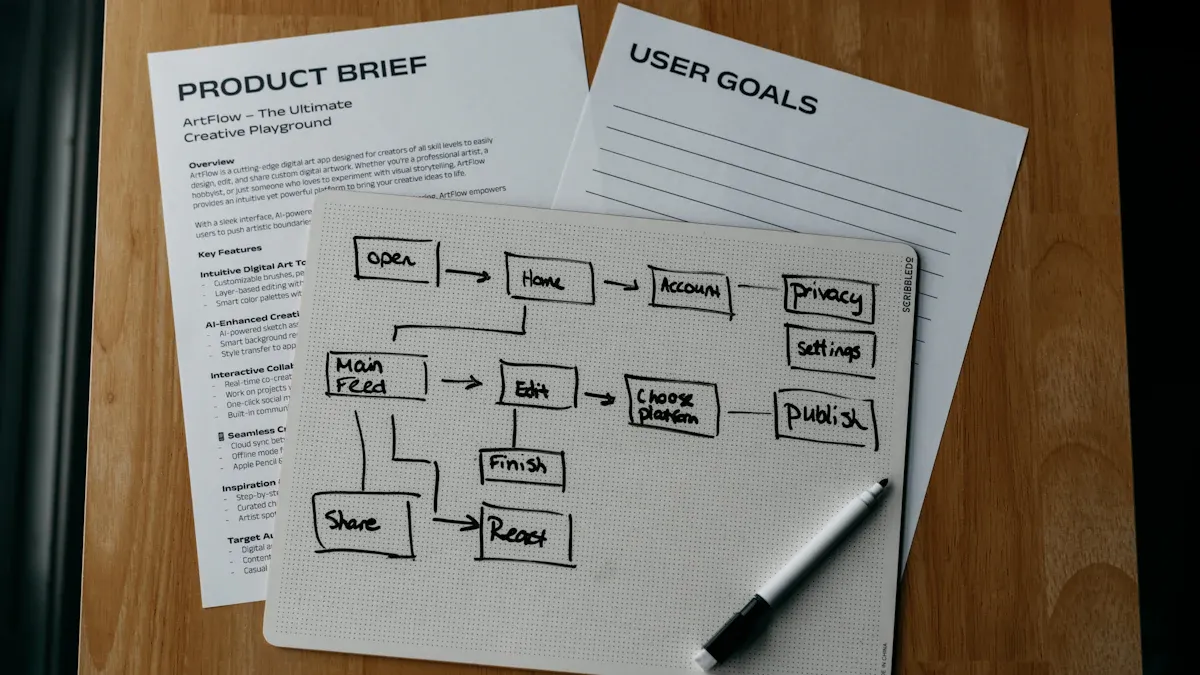
Many organizations want to improve how they serve clients and customers, but they often face obstacles that slow progress. Lean Six Sigma Process Mapping gives teams a simple way to see each step and spot where things can work better. The most common challenges include resistance to change, unclear goals, and difficulty measuring success. The table below shows these barriers:
Challenge | Description |
|---|---|
Inadequate Resources | Not enough time, people, or budget for improvement projects. |
Resistance to Change | Teams may feel skeptical or oppose new methods. |
Difficulty Measuring Success | Teams struggle to track progress and prove improvements. |
Lack of Understanding and Alignment | People do not always agree on what needs fixing or how processes work. |
By following clear optimization steps, teams can use process maps to understand workflows and make changes that last.
Key Takeaways
Lean Six Sigma Process Mapping helps teams visualize workflows, making it easier to identify areas for improvement.
Involving all team members in mapping sessions fosters collaboration and builds trust among participants.
Using visual tools like flowcharts and SIPOC diagrams simplifies complex processes and enhances understanding.
Regularly reviewing process maps allows teams to catch inefficiencies and maintain continuous improvement.
Choosing the right type of process map aligns with project goals and ensures effective communication.
Keeping process maps simple and clear prevents confusion and helps teams focus on key steps.
Identifying quick wins through process mapping can lead to immediate improvements and boost team morale.
Engaging frontline staff in the mapping process ensures accuracy and uncovers hidden issues.
Why Process Mapping Is Essential
Building Common Understanding
Teams often struggle to agree on how a process works or what needs improvement. Lean Six Sigma Process Mapping brings everyone together by making each step visible. When team members work on a process map, they share ideas and learn from each other. This activity encourages participation and helps everyone see the bigger picture.
Team-oriented mapping increases engagement and understanding.
Visualizing steps uncovers areas for improvement and sparks group insights.
Hands-on methods, such as whiteboarding or using Post-it notes, boost collaboration and create a sense of ownership.
Tip: Involving every team member in mapping sessions builds trust and ensures that all voices are heard.
Visualizing Workflows
A process map turns complex workflows into simple, easy-to-follow visuals. This clarity helps teams spot problems and make better decisions. When everyone sees the same picture, communication improves and priorities become clear.
Benefit | Description |
|---|---|
Provides visibility into the work process, allowing for timely decisions to address bottlenecks. | |
Enhanced Collaboration | Facilitates better communication and teamwork by detailing task requirements. |
Define Priorities | Simplifies task prioritization, helping employees focus on the most important tasks. |
Improvements | Identifies areas for improvement, making it easier for teams to assess their processes. |
Note: Visual tools help teams stay focused and make it easier to track progress over time.
Reducing Waste
Organizations often lose time and resources due to hidden inefficiencies. Process mapping helps teams find these issues and remove them. By breaking down each step, teams can see where delays or extra work occur. This method supports a culture of continuous improvement.
Process mapping identifies inefficiencies and bottlenecks.
It increases visibility, helping teams understand how activities connect.
It encourages ongoing improvement, which is key for reducing waste.
Process mapping is a technique that visualizes business processes, breaking them down into individual steps. This method allows organizations to identify inefficiencies and bottlenecks, leading to improved efficiency and waste reduction.
Callout: Regularly reviewing process maps helps teams catch new sources of waste and keep improvements on track.
Lean Six Sigma Process Mapping Overview
What Is a Process Map?
A process map shows the steps, activities, and flow in a process. Teams use this visual tool to understand how work moves from start to finish. In Lean Six Sigma Process Mapping, the map displays inputs, actions, and outputs. It also highlights how tasks connect across different departments or roles.
A process map gives a step-by-step view of a workflow.
It helps participants see details and supports decision-making.
The map shows tasks within a function and interactions between groups.
Tip: Teams often use process maps at the start of improvement projects to build a shared understanding.
Purpose and Benefits
Lean Six Sigma Process Mapping acts as a roadmap for improvement. Teams use it to guide their efforts and measure progress. The map makes it easier to spot problems and plan changes.
Visualize and Understand Processes: Teams see each step and how they connect.
Identify Waste and Inefficiencies: The map reveals bottlenecks, redundancies, and unnecessary steps.
Plan and Implement Improvements: Teams use the map to test changes and track results.
Callout: Process maps help teams work together, set priorities, and reach goals faster.
Key Elements
A strong process map includes several key elements. Each mapping tool offers a different view of the process. The table below shows common tools and their descriptions:
Mapping Tool | Description |
|---|---|
SIPOC Diagram | Outlines Suppliers, Inputs, Process, Outputs, and Customers to understand interactions in a process. |
Flowcharts | Graphical representation of a process, breaking it down into steps to identify bottlenecks. |
Value Stream Map | Analyzes flow of materials and information, identifying waste and opportunities for improvement. |
High Level Map | Provides a bird's-eye view of the process without intricate details. |
Detailed Map | Shows finer points of smaller processes and correlations between inputs and outputs. |
Swimlane Map | Categorizes process steps by roles or departments, identifying handoffs and potential bottlenecks. |
Teams also use other process maps in Lean Six Sigma projects. The table below lists popular types and their uses:
Type of Process Map | Description |
|---|---|
Process Maps | Visual representation of a process to understand the flow of activities and optimize tasks. |
SIPOC Analysis | High-level map defining Suppliers, Inputs, Processes, Outputs, and Customers. |
Value Stream Mapping (VSM) | Tool to analyze and optimize the flow of materials and information throughout a process. |
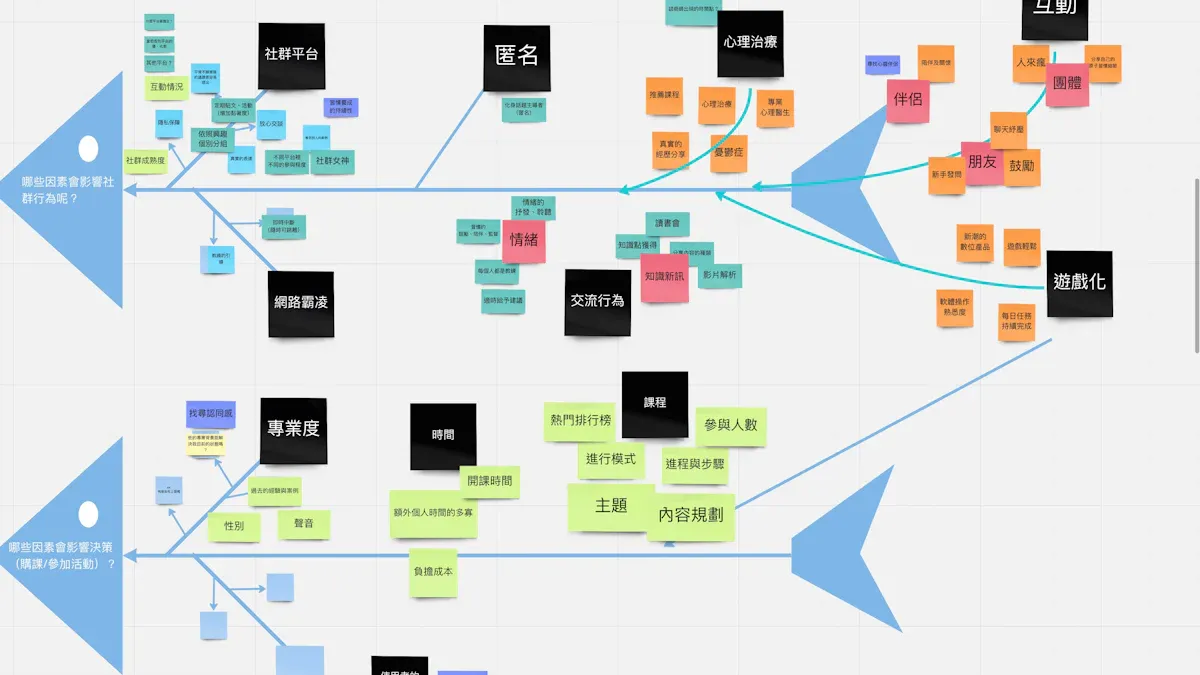
Fishbone Diagram | Visual tool for identifying and categorizing potential causes of a problem. |
Note: Choosing the right mapping tool depends on the team's goals and the level of detail needed.
Lean Six Sigma Process Mapping gives teams a clear foundation for improvement. The map acts as a guide, helping teams see where to focus and how to measure success. By using these tools, organizations can build better workflows and achieve lasting results.
Types of Process Maps
SIPOC Map
A SIPOC map gives teams a high-level view of a process. This tool helps people see the big picture before diving into details. SIPOC stands for Suppliers, Inputs, Process, Outputs, and Customers. Each part shows how work moves from start to finish.
When to Use SIPOC
Teams use SIPOC maps at the beginning of Lean Six Sigma Process Mapping projects. This map works best when people need to align on process boundaries and major elements. SIPOC maps help teams set clear goals and understand who provides inputs and who receives outputs.
Teams choose SIPOC maps when they want to scope a process quickly.
This map supports stakeholder alignment before deeper analysis.
SIPOC maps work well for new projects or when processes cross departments.
SIPOC Elements
A SIPOC map includes five main elements. Each part helps teams see how work flows and who gets involved.
Element | Description |
|---|---|
Suppliers | People or groups who provide inputs |
Inputs | Materials, data, or resources needed |
Process | Steps that transform inputs into outputs |
Outputs | Results or products from the process |
Customers | People or groups who receive outputs |
SIPOC maps focus on the main inputs and outputs. Other process maps, such as flowcharts, show every step and decision. SIPOC maps stay concise and highlight only the most important parts.
Tip: Use SIPOC maps to start conversations and build agreement among team members.
Comparison Table: SIPOC Maps vs. Other Process Maps
Feature | SIPOC Maps | Other Process Maps |
|---|---|---|
Focus | High-level scoping | Detailed representations |
Key Elements | Suppliers, Inputs, Outputs, Customers | Steps, Activities, Decisions |
Representation Detail | Concise, few main steps | Detailed, including feedback loops |
Purpose | Align stakeholders before deeper analysis | Analyze specific process steps and flows |
Value Stream Focus | Not applicable | Value-added and non-value-added aspects |
High-Level Map
A high-level process map shows the main steps in a workflow. This map gives a simple overview without going into details. Teams use high-level maps to communicate quickly and share basic process information.
Overview and Uses
High-level maps work best when teams need to explain a process to leadership or people who do not need every detail. These maps help teams get started even if they do not know every step. High-level maps are easy to create and update.
Teams use high-level maps for quick communication.
These maps suit audiences who want a summary, not details.
Team members with limited process knowledge can still contribute.
Note: High-level maps help teams set priorities and decide where to focus improvement efforts.
Detailed Map
A detailed process map breaks down every step in a workflow. This map shows actions, decisions, and connections between tasks. Teams use detailed maps to understand complex processes and find ways to improve.
Capturing Steps
Detailed maps reveal bottlenecks and make process optimization easier. Teams gain better understanding and transparency. These maps also help teams spot automation opportunities and improve collaboration.
Benefit | Description |
|---|---|
Employees gain a better understanding of processes and their impact on the organization. | |
Enhanced Understanding | Visual representation promotes clarity and comprehension of complex processes. |
Streamlined Communication | Standardized visuals simplify collaboration and reduce misunderstandings among team members. |
Increased Efficiency | Identifying redundancies and bottlenecks leads to optimized workflows and cost savings. |
Ensures Compliance | Helps organizations adhere to regulatory standards and promotes accountability. |
Promotes Continuous Improvement | Encourages sharing of ideas for process optimization and regular review of workflows. |
Teams use detailed maps to share ideas and keep everyone accountable. These maps support regular reviews and ongoing improvement.
Callout: Detailed process maps make it easier to spot problems and track changes over time.
Swimlane Map
Swimlane maps organize process steps by grouping them into lanes that represent different roles, teams, or departments. Each swimlane shows who is responsible for each part of the process. This visual approach helps businesses clarify responsibilities and improve workflow efficiency.
Roles and Responsibilities
Swimlane maps make it easy to see which team or individual handles each step. By dividing the process into lanes, teams can quickly identify handoffs and interactions. This method eliminates confusion about who owns a task and highlights areas where responsibilities overlap or gaps exist.
Swimlane maps define roles and responsibilities with clear boundaries.
They show the flow of tasks and interactions between teams.
Teams use swimlane maps to spot bottlenecks caused by unclear ownership.
When teams use swimlane maps, they improve communication and accountability. Each lane represents a specific role, so everyone knows what they need to do. This clarity supports Lean Six Sigma Process Mapping by making it easier to analyze and improve processes.
Tip: Swimlane maps work best for processes that involve multiple departments or frequent handoffs.
Value Stream Map
Value stream maps help organizations analyze the flow of materials and information through a process. Teams use these maps to identify steps that add value and those that create waste. By mapping the entire process, teams gain a clear view of how work moves from start to finish.
Value and Waste
Value stream mapping provides visibility into complex workflows. Teams can see where bottlenecks slow progress and where unnecessary steps waste time or resources. This approach encourages collaboration across departments and helps teams redesign processes for better results.
Organizations that use value stream mapping often see improvements in delivery speed and product quality. Teams build capability over time, allowing them to tackle more complex value streams. This method fosters a culture of continuous improvement, leading to higher satisfaction and retention among employees.
In one medium-sized service firm, value stream mapping revealed that actual processing time was much shorter than the total lead time. By redesigning approval processes, the company reduced mandatory approvals by more than half. This change led to faster service and better resource use.
Note: Value stream maps help teams focus on value-added activities and remove waste, driving long-term success.
Choosing the Right Map
Matching Map to Goals
Selecting the right process map depends on the goals of the project. Teams must first identify what they want to achieve. Some projects aim to reduce costs, while others focus on improving customer satisfaction or streamlining workflows. The choice of mapping technique should reflect these objectives.
Teams start by identifying the process. They define what they want to map and what they hope to gain from the exercise.
Stakeholders play a key role. Involving people responsible for the process ensures that the map aligns with project goals.
The mapping technique must match the project’s objectives. For example, a SIPOC map works well for scoping and alignment, while a value stream map helps analyze waste and value.
A team that wants to improve communication between departments may choose a swimlane map. This map highlights roles and responsibilities. If the goal is to find bottlenecks, a detailed map or value stream map provides deeper insight. Matching the map to the project’s goals helps teams focus their efforts and achieve better results.
Tip: Teams should revisit their goals before starting the mapping process. This step ensures that the chosen map supports the desired outcomes.
Factors to Consider
Several factors influence the choice of process map. Teams must consider their objectives, the importance of the process, and the level of detail required. The following steps help guide the selection:
Identify objectives. Teams define what they aim to achieve, such as reducing costs or improving customer satisfaction.
Prioritize processes. They rank processes based on importance, urgency, and feasibility. This step helps focus on areas with the most potential impact.
Scope the process. Teams set boundaries and decide how much detail the map should include. Clear scope ensures relevance and clarity.
When determining which process to map, it is crucial to consider the purpose and objectives of the mapping exercise carefully. The chosen method should be central to the organization's overall goals and can provide insight into areas of improvement.
Teams also assess data availability and stakeholder support. If data is limited, a high-level map may be more practical. When multiple departments are involved, a swimlane map clarifies responsibilities. Teams evaluate feasibility to ensure the mapping exercise delivers value.
Assess the importance and urgency of each process.
Evaluate feasibility based on available data and stakeholder involvement.
Choosing the right process map helps teams visualize workflows, identify improvement opportunities, and align efforts with organizational goals. The selection process sets the foundation for successful Lean Six Sigma projects.
Process Mapping Steps
Define Scope and Context
Teams begin Lean Six Sigma Process Mapping by setting clear boundaries for the process. They decide where the process starts and ends, which keeps the workflow focused and manageable. Defining the scope helps everyone understand what is included and what falls outside the project.
The following table outlines the recommended steps for defining scope and context:
Step | Description |
|---|---|
1 | Define clear boundaries: Set the scope by knowing where the process begins and ends, and what is included or excluded. |
2 | Set boundaries: Identify the start and finish of the process to keep the map concise and manageable. |
3 | Define the process: Identify the process being mapped, its objectives, and desired outcomes to set clear expectations. |
Teams also clarify the objectives and expected outcomes. They identify the process to be mapped and discuss what they want to achieve. This step ensures that everyone shares the same understanding before moving forward.
Tip: Teams should write down the process boundaries and objectives before starting the mapping session. This practice helps prevent confusion and keeps the project on track.
Identify and Sequence Steps
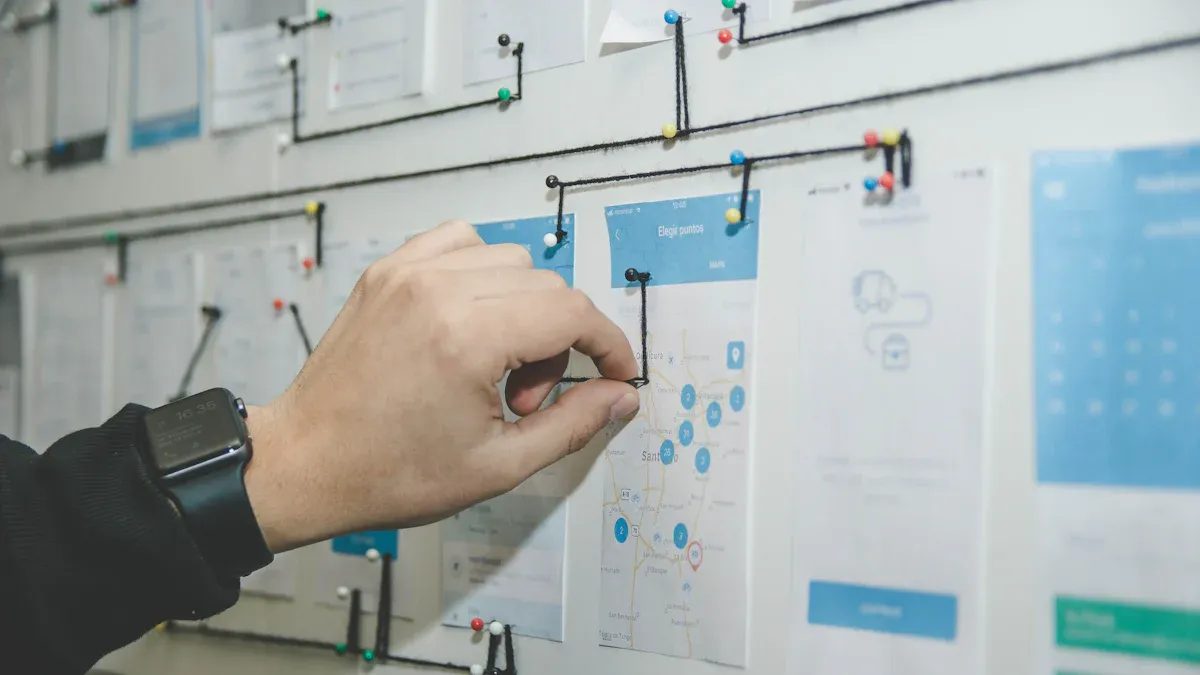
After defining the scope, teams identify each step in the process. They gather materials and prepare for diagramming. Teams observe the workflow, record the sequence of movements, and note the layout of workstations or any obstacles.
The following ordered list describes best practices for identifying and sequencing steps:
Prepare for the diagramming process by identifying the processes to analyze and gathering necessary materials.
Map the physical environment by drawing out the layout including workstations and obstructions.
Record the sequence of movements by observing operators and tracing their paths.
Analyze the diagram to find waste such as excess travel distances and unnecessary movements.
Map the optimized future state by repositioning activities to reduce waste and improve flow.
Implement changes and continue to improve by developing a realistic plan and conducting follow-up sessions.
Teams use simple visuals, such as flowcharts or spaghetti diagrams, to show each step and its order. They focus on clarity and avoid unnecessary complexity. This approach helps everyone see how work moves through the process.
Note: Teams should involve people who perform the process daily. Their input ensures that the map reflects real activities and uncovers hidden steps.
Review and Validate
Once the process map is complete, teams review and validate it to ensure accuracy. They walk through the map with process owners and subject matter experts. This step helps capture any workarounds or discrepancies between the current operation and the intended process.
Teams gather feedback from participants and customers who interact with the process regularly. They validate the map using data, such as metrics, reports, and observations. Comparing the process map with collected data helps identify gaps or bottlenecks.
Collaborate with process owners and experts to confirm accuracy.
Gather feedback from process participants and customers.
Validate the process map using data and evidence.
Identify discrepancies or gaps by comparing the map with real-world data.
Update the process map based on insights from the team.
Callout: Open discussion during the review process encourages team members to share ideas and spot areas for improvement.
Teams update the process map as needed. They incorporate stakeholder feedback and use data to enhance the map. This step ensures that the process map remains a reliable tool for improvement.
Analyze for Improvement
Teams use Lean Six Sigma Process Mapping to find ways to make processes better. They look at each step and ask questions about delays, errors, and extra work. The goal is to spot problems and decide which changes will have the biggest impact.
Several methods help teams analyze process maps:
Workshops bring together people from different teams. They share ideas and solve problems as a group.
Interviews allow team members to talk about their experiences. These sessions help uncover hidden issues.
Surveys collect feedback from many people. Teams get a broad view of what works and what needs fixing.
Time studies measure how long each step takes. Teams use this data to find slow tasks and reduce waiting times.
Teams follow a clear process to analyze and improve workflows:
Define the opportunity for improvement. They choose a problem or area that needs attention.
Measure how the current process performs. Teams collect data to understand what is happening.
Analyze the process to find defects and root causes. They look for patterns and reasons behind problems.
Improve the process by fixing root causes. Teams test solutions and make changes.
Control the improved process to keep results steady. They monitor progress and adjust as needed.
Teams work together to review the process map. They ask questions like, "Where do delays happen?" and "Which steps add value?" This approach helps everyone focus on the most important changes.
Tip: Teams should use simple visuals and clear language when discussing improvements. This practice makes it easier for everyone to understand and contribute.
Map Future State
After analyzing the current process, teams create a future state map. This map shows how the process should work after making improvements. The future state represents the ideal outcome and helps teams set goals for change.
The future state map addresses problems found in the current process. It includes changes such as reducing cycle times, removing waste, and adding new technology. Teams make sure the future state matches business goals and customer needs.
Key steps for mapping the future state include:
Step | Description |
|---|---|
Identify Product Family | Teams choose which product or service to focus on for improvement. |
Create Current State Map | They draw a map of how things work now to find problems. |
Develop Future State Map | Teams design a new map that fixes issues and shows the improved process. |
Implement Changes | They put the new process into action and track results. |
When building the future state map, teams consider several points:
The map should fix problems found in the current process.
It should show improvements like faster steps and less waste.
Teams must align the map with business goals and customer needs.
Teams use the future state map to guide their actions. They set clear targets and measure progress. This approach helps everyone stay focused and work toward lasting improvement.
Note: Teams should review the future state map regularly. This habit keeps the process on track and supports continuous improvement.
Tips for Effective Mapping
Keep It Simple
Teams achieve better results when they keep process maps simple. Simple maps use clear symbols and straightforward language. This approach helps everyone understand the workflow without confusion. Standardized symbols make it easier for team members to follow each step. When teams use simple visuals, they reduce misunderstandings and improve documentation accuracy. Consistency in notation also helps teams integrate and analyze business processes more effectively.
Standardized process mapping symbols enhance clarity and ensure a shared understanding among teams.
Simple visual representations reduce misunderstandings and improve the accuracy of documentation.
Consistency in process mapping notation facilitates seamless integration and analysis of business processes.
A simple process map allows teams to focus on what matters most. They can spot problems quickly and suggest improvements. Teams should avoid adding unnecessary details or complex symbols. Clear maps help everyone stay on the same page and make decisions faster.
Tip: Use basic shapes and clear labels. Avoid clutter to keep the map easy to read.
Involve the Team
Team involvement plays a key role in successful process mapping. When teams work together, they build a culture of transparency and collaboration. Cross-functional groups bring diverse perspectives and insights. This collaboration leads to a deeper understanding of workflows and highlights areas for improvement.
Team involvement fosters a culture of transparency and collaboration.
Engaging cross-functional teams leads to diverse perspectives and insights.
This collaboration results in a more thorough understanding of workflows and areas for improvement.
Employees who participate in mapping sessions are more likely to embrace change. Their experience helps identify potential improvements. Team input increases the accuracy of process maps and gives members a sense of ownership.
Engaged employees are more likely to embrace change, which is crucial for successful process improvement.
They can identify potential improvements due to their deep understanding of work processes.
Incorporating team input enhances the accuracy of process mapping.
It fosters a sense of ownership among team members regarding the mapped processes.
Teams should encourage open discussion and invite feedback from everyone involved. This practice ensures that the process map reflects real activities and uncovers hidden steps.
Note: Involving the team from the start builds trust and leads to better results.
Use Visual Tools
Visual tools help teams create effective process maps. These tools make complex workflows easier to understand. Teams use flow charts, visual guides, and dashboards to display information clearly. Each tool offers unique benefits that support Lean Six Sigma process mapping.
Visual Tool | Benefits |
|---|---|
Process Flow Charts | Help visualize the steps in a process, making it easier to identify bottlenecks. |
Standard Operating Procedure (SOP) Visual Guides | Provide clear instructions, aiding in training and consistency. |
Quality Control Checkpoints | Use visual indicators to maintain quality standards and reduce errors. |
Digital Displays | Show real-time production metrics, enhancing visibility and decision-making. |
Kanban Boards | Offer a visual representation of work in progress, optimizing processes and resource allocation. |
Andon Systems | Allow for real-time data visualization, enabling quick responses to production issues. |
Metrics Dashboards | Foster transparency and communication by displaying key performance indicators. |
Process Maps | Break down complex procedures into simple visual steps for better understanding. |
Teams select visual tools based on their needs. Flow charts help identify bottlenecks. Kanban boards show work in progress. Dashboards display key metrics for quick decision-making. Visual guides support training and consistency.
Tip: Choose visual tools that match the team's goals and make information easy to understand.
Avoid Complexity
Process mapping works best when teams keep diagrams straightforward. Complexity often creeps in when people try to capture every exception or add too many details. This approach can make the map hard to read and use. Teams should focus on the main flow and avoid clutter that distracts from the process’s purpose.
Complex maps create several risks for organizations. When a process map becomes too complicated, team members struggle to understand the workflow. Important steps may get lost among less relevant details. The main flow can become distorted if exceptions pile up. This confusion leads to mistakes and slows down improvement efforts.
Note: Simple maps help teams see problems quickly and make decisions with confidence.
Unnecessary complexity also increases the burden on process governance. Managing a complicated map takes more time and resources. Ownership becomes unclear, and teams may find it difficult to assign responsibility for each step. This situation can lead to delays and missed opportunities for improvement.
Teams can avoid complexity by following a few practical guidelines:
Focus on the main process steps. Leave out rare exceptions unless they cause major problems.
Use clear symbols and labels. Standard shapes make the map easier to read.
Limit the number of decision points. Too many choices can confuse users.
Review the map with people who use the process daily. Their feedback helps remove unnecessary details.
Update the map only when changes improve clarity or accuracy.
The following list highlights the risks of introducing unnecessary complexity into process maps:
Distortion of the main flow due to accumulated exceptions
Greater burden on process governance, complicating management and ownership
A well-designed process map supports Lean Six Sigma goals by making workflows visible and actionable. Teams should remember that the purpose of mapping is to drive improvement, not to document every possible scenario. By keeping maps simple and focused, organizations empower employees to spot issues and suggest changes.
Tip: Teams should revisit their process maps regularly. Removing outdated or irrelevant steps keeps the map clear and useful.
A clear process map encourages collaboration and helps everyone stay aligned. When teams avoid complexity, they build a strong foundation for continuous improvement and lasting results.
Using Maps for Improvement
Process maps serve as practical tools for driving improvement in organizations. Teams and systems use these visuals to identify opportunities, prioritize changes, and monitor progress. Clients benefit from streamlined workflows and more reliable outcomes. Lean Six Sigma Process Mapping enables teams to achieve measurable results by making processes transparent and actionable.
Spotting Quick Wins
Teams often look for quick wins when starting improvement projects. These wins deliver fast results with minimal risk and little investment. Process maps help teams spot areas where small changes can make a big difference. Quick wins usually have a narrow scope and require buy-in from all stakeholders. The team must have the authority to implement these changes.
Common characteristics of quick wins include:
Fast timeframe (typically less than one week, including planning)
Low or no risk
No negative impact to downstream operations
Narrow scope
Buy-in by all stakeholders
Team has authority to implement
Teams can identify quick wins by focusing on simple actions:
Minor procedure change
Communication improvement
Part substitution
Training on best practices
Error proof a process step
Minor layout change
Simple visual management
These actions help organizations build momentum and encourage further improvement.
Prioritizing Changes
After identifying improvement opportunities, teams must decide which changes to address first. Process maps provide a clear view of the workflow, making it easier to compare options. Teams use specific criteria to prioritize changes and maximize impact.
Criteria | Description |
|---|---|
Impact | The potential effect of the change on the overall process and outcomes. |
Effort | The amount of resources and time required to implement the change. |
Feasibility | The practicality of implementing the change within the current constraints. |
Desirability | The extent to which stakeholders want the change to occur. |
Viability | The long-term sustainability and benefits of the change. |
Teams review each option and select changes that offer the greatest benefit with reasonable effort. This approach ensures that resources are used wisely and improvements align with organizational goals.
Tracking Progress
Tracking progress is essential for sustaining improvements. Teams use a structured approach to monitor results and adjust as needed. The Plan-Do-Check-Act (PDCA) cycle provides a reliable framework:
Plan – Define the problem and root causes, then develop a plan of action.
Do – Implement the plan while collecting data to monitor performance.
Check – Compare results to objectives to assess effectiveness.
Act – If ineffective, create a new plan; if effective, scale the improvement.
Systems and teams use these steps to ensure that changes deliver the expected results. Clients experience better service and more consistent outcomes as organizations refine their processes.
Tip: Regularly reviewing process maps and progress data helps teams maintain improvements and respond quickly to new challenges.
Common Mistakes to Avoid
Process mapping with Lean Six Sigma offers many benefits, but teams often fall into common traps. Recognizing these mistakes helps organizations build stronger, more accurate maps and achieve better results.
Unclear Goals
Teams sometimes begin mapping without clear objectives. This lack of direction leads to confusion and wasted effort. When goals remain vague, teams may struggle to decide what to include or exclude from the map. They might also miss the real reason for the mapping exercise.
Teams often forget to inform and validate the objective and scope with all participants.
Failing to share a detailed agenda can leave team members unprepared.
Choosing the wrong individuals, such as not including subject matter experts, weakens the mapping process.
Tip: Teams should define the purpose, scope, and desired outcomes before starting. Clear goals keep everyone focused and ensure the map supports improvement efforts.
Missing Steps
A process map loses value when it leaves out important steps. Teams sometimes skip steps because they assume everyone knows the process or because they want to finish quickly. This mistake creates gaps in understanding and hides problems that need attention.
Teams may jump to solutions before completing the current state map. This rush can cause them to overlook key activities.
Mapping the ideal process, instead of the actual one, leads to inaccurate results. Teams must describe how the process works in reality, not how it should work.
Skipping the voice of the frontline often results in maps based on assumptions. The people who perform the work every day hold valuable insights.
Note: Teams should involve frontline staff and subject matter experts. Their input ensures the map reflects real activities and uncovers hidden issues.
Overcomplicating Maps
Complexity can make process maps hard to read and use. Teams sometimes add too many details, exceptions, or symbols. This clutter distracts from the main workflow and confuses team members.
Risk of Overcomplicating | Impact on Process Mapping |
|---|---|
Too many details | Makes the map difficult to follow |
Excessive exceptions | Distorts the main process flow |
Unclear ownership | Creates confusion about responsibilities |
Teams should focus on the main steps and keep symbols simple. A clear, straightforward map helps everyone understand the process and spot improvement opportunities.
Callout: Teams should get the whole picture first and fix problems later. Simplicity supports better communication and faster results.
By avoiding these common mistakes, organizations can create process maps that drive real improvement and lasting change.
Process mapping with Lean Six Sigma helps teams see workflows clearly and find ways to improve. Key benefits include better communication, reduced waste, and faster results. Teams can start by mapping one process and looking for small changes.
Ready to improve your workflow? Share your experiences or questions in the comments. For more information, reach out to learn how Lean Six Sigma can help your organization.
FAQ
What is Lean Six Sigma process mapping?
Lean Six Sigma process mapping shows each step in a workflow. Teams use it to find problems and improve how work gets done. The map helps everyone see the process clearly.
Which process map should a team use first?
Teams often start with a SIPOC map. This map gives a high-level view and helps set boundaries. It works well for new projects or when teams need to align on goals.
How does process mapping reduce waste?
Process mapping helps teams spot delays, extra steps, and bottlenecks. By removing these problems, teams save time and resources. The map makes waste easy to see and fix.
Who should join a process mapping session?
Teams should include people who do the work, subject matter experts, and process owners. Their input ensures the map shows real activities and uncovers hidden issues.
Can process maps help with training?
Yes, process maps make training easier. New employees see each step and understand their roles. Visual guides help teams learn faster and avoid mistakes.
What tools can teams use for process mapping?
Teams use flowcharts, SIPOC diagrams, swimlane maps, and value stream maps. Digital tools like Lucidchart or Microsoft Visio also help create clear visuals.
How often should teams update process maps?
Teams should review and update process maps regularly. Changes in workflow, technology, or goals may require updates. Regular reviews keep maps accurate and useful.
What is a common mistake in process mapping?
A common mistake is skipping steps or adding too much detail. Teams should focus on the main workflow and involve people who know the process well.


