Beginner’s Guide to Lean Six Sigma Process Mapping in 2025

A new employee at a small company sees tasks pile up and confusion grow. He notices that clients complain about delays, and customers want clearer answers. Lean Six Sigma Process Mapping offers a way to see every step and remove waste. This method helps teams find Optimization Steps and prevent mistakes. In 2025, more industries use these skills, focusing on customer needs and combining Agile and sustainability. A person who learns process mapping gains tools to improve workflows and keep up with business changes.
Key Takeaways
Lean Six Sigma Process Mapping helps teams visualize workflows, making it easier to identify waste and inefficiencies.
Start with simple process maps to build confidence and avoid confusion. Focus on main steps before adding details.
Regularly review and update process maps to ensure they reflect current workflows and improve accuracy.
Use tools like flowcharts, SIPOC diagrams, and swimlane diagrams to clarify roles and streamline processes.
Collaboration among team members enhances process mapping. Discussing steps together leads to better insights and solutions.
Analyze process maps to find areas for improvement. Techniques like root cause analysis help identify issues.
Engage employees who use the process daily. Their feedback is crucial for creating accurate and useful process maps.
Continuous learning and iteration are key. Treat process maps as living documents that evolve with business needs.
What Is Lean Six Sigma Process Mapping?
Definition and Purpose
Lean Six Sigma Process Mapping helps teams see how work moves from start to finish. This method uses diagrams to show each step, making it easier to spot problems and areas for improvement. People use process mapping to break down complex tasks into simple actions. The main purpose is to help everyone understand how a process works and where it can improve.
Lean Six Sigma Process Mapping combines two powerful ideas. Lean focuses on removing waste, such as extra steps or delays. Six Sigma works to prevent mistakes and defects. By joining these approaches, process mapping helps organizations create smoother, faster, and more reliable workflows.
Process mapping acts as a guide for teams. It shows what happens at each stage and highlights where things slow down or go wrong. This clear view supports better decisions and helps teams fix issues quickly.
Key Concepts
Several key concepts make Lean Six Sigma Process Mapping different from other process improvement methods. The table below shows how it stands out:
Key Concept | Lean Six Sigma | Other Methodologies |
|---|---|---|
Primary Focus | Eliminating waste | Varies (e.g., quality, efficiency) |
Approach | Process-focused | Can be project-based or holistic |
Tools Used | Value stream mapping, 5S | Varies widely (e.g., PDCA, DMAIC) |
Emphasis | Flow and pull | Varies (e.g., customer satisfaction) |
Certification Levels | No belt system | Varies (e.g., certifications available) |
Deployment | Enterprise philosophy | Often departmental or project-based |
Lean Six Sigma Process Mapping uses tools like value stream mapping and 5S to focus on how work flows. It looks for steps that do not add value and aims to remove them. This method also encourages teams to think about the whole organization, not just one department or project.
Visualizing Processes
Teams use Lean Six Sigma Process Mapping to create visual diagrams, such as flowcharts. These diagrams show each step, input, and output in a process. By laying out the process visually, teams can easily spot bottlenecks and inefficiencies. This clear picture helps everyone see where problems exist and what needs to change.
Process mapping gives organizations a way to reengineer their workflows. When teams see the process on paper, they can find steps that slow things down or cause mistakes. They use this information to make changes that improve speed and quality.
Tip: Start with a simple diagram. Add details as you learn more about the process. This approach helps teams avoid confusion and keeps everyone focused on improvement.
Why Process Mapping Matters
Benefits for Beginners
Lean Six Sigma Process Mapping gives beginners a clear way to see how work flows in systems and teams. This skill helps them break down complex tasks into simple steps. Beginners often struggle to understand where problems start. Process mapping lets them visualize each part of a workflow, making it easier to spot inefficiencies. Many clients at systems and teams have used process mapping to identify slow steps and improve their results.
Process mapping stands out as a fundamental tool for those new to Lean Six Sigma. It helps beginners collect data and analyze workflows, which supports improvement projects.
Beginners should learn key tools such as process flowcharts, histograms, scatter plots, failure mode and effects analysis (FMEA), and value stream mapping. These tools help them understand processes and find areas to improve. Yellow Belts, for example, learn basic Lean Six Sigma concepts and support data collection and process mapping. They often join improvement projects as team members.
Efficiency and Clarity
Process mapping increases efficiency and clarity in business operations. Teams use process maps to integrate new innovations and streamline handoffs. This approach helps maintain clarity, especially in automated workflows. The table below shows how process mapping supports efficiency and clarity:
Evidence | Explanation |
|---|---|
Process maps help integrate innovations, streamline handoffs, and maintain clarity in increasingly automated workflows. | Teams adapt to new technologies and improve efficiency. |
A comprehensive overview ensures all parties know their responsibilities and timelines. | Clarity in roles leads to smoother operations and less confusion. |
Increased clarity allows for effective decision-making on both macro and micro levels. | Better decisions improve efficiency. |
Better business decisions and resource usage lead to increased productivity. | Productivity rises when teams use process mapping. |
Mapping processes can lead to a drastic reduction in operational costs. | Cost reduction is a key benefit. |
Process mapping minimizes risk at all stages of operations. | Risk drops when teams map their processes. |
A documented process map clarifies individual responsibilities throughout a project. | Accountability and efficiency improve. |
Process mapping aids in facilitating change management. | Teams handle transitions better. |
It can be used in all areas of operation to improve workflows. | Versatility makes process mapping fundamental for business performance. |
Clients at systems and teams have seen faster workflows and fewer mistakes after using process mapping. They report smoother transitions and better use of resources.
Impact on Teams
Process mapping improves team collaboration and communication. Effective communication aligns team members with project goals. Transparent communication builds trust, which leads to better problem-solving and idea sharing. When teams share consumer feedback and data, they focus on projects that improve customer satisfaction.
Teams that use Lean Six Sigma Process Mapping work together more smoothly. They understand their roles and responsibilities, which helps them achieve better results.
Systems and teams that adopt process mapping often notice stronger teamwork and more successful improvement projects. They use clear diagrams to guide their work, which helps everyone stay on track and reach their goals.
Types of Process Maps in Lean Six Sigma
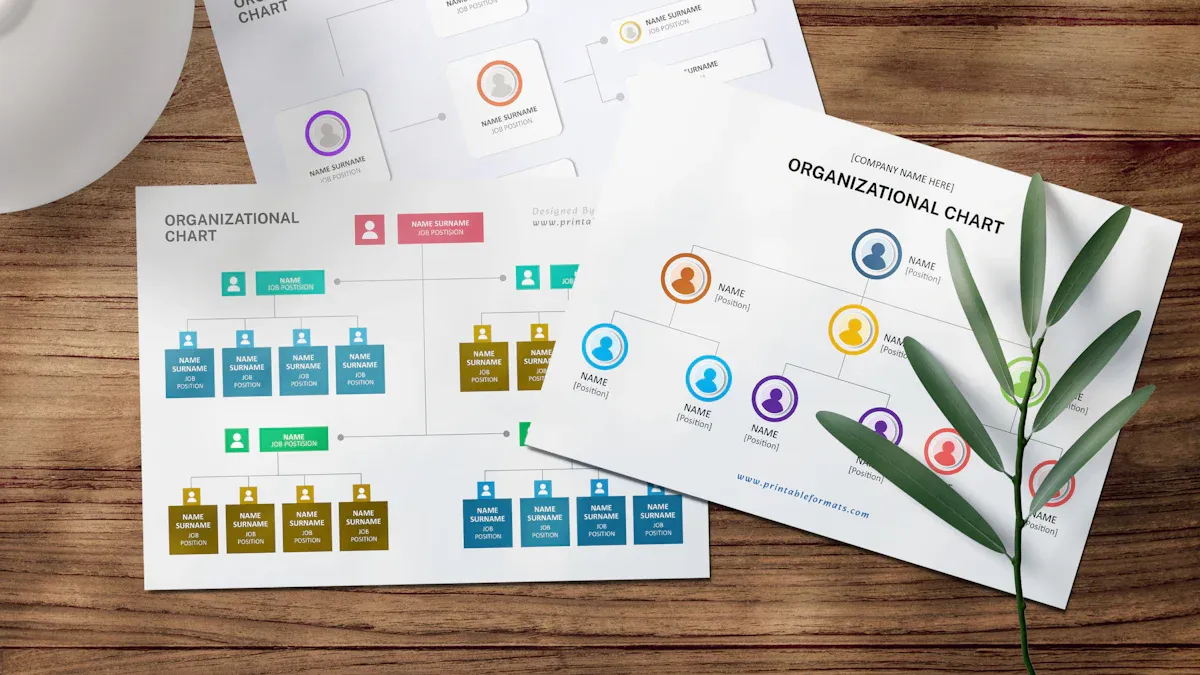
Lean Six Sigma Process Mapping uses several types of process maps to help teams understand and improve their workflows. Each map serves a unique purpose and fits different situations in business operations.
SIPOC Diagram
A SIPOC diagram gives a high-level overview of a process. SIPOC stands for Suppliers, Inputs, Process, Outputs, and Customers. This map helps teams see the big picture before diving into details.
When to Use SIPOC
Teams often use a SIPOC diagram at the start of a project. It works best when they need to define the boundaries of a process or explain it to new team members. SIPOC diagrams also help when teams want to:
Increase transparency in operations
Provide a clear road map for processes
Speed up training for new and existing employees
Support problem-solving efforts
Offer a template for mapping other processes
Build team spirit by clarifying shared goals
A SIPOC diagram acts as a foundation for process improvement. It ensures everyone understands the main elements before making changes.
SIPOC Elements
A SIPOC diagram includes five main parts:
Element | Description |
|---|---|
Suppliers | Who provides the inputs for the process |
Inputs | The resources or information needed to start |
Process | The steps that transform inputs into outputs |
Outputs | The results or products of the process |
Customers | The people or groups who receive the outputs |
Teams fill out each section to create a complete overview. This approach makes it easier to spot gaps or misunderstandings early.
Flowchart
A flowchart shows the steps in a process using symbols and arrows. It gives a detailed view of how work moves from one step to the next.
Symbols and Uses
Flowcharts use different shapes to represent actions, decisions, and connections. Common symbols include:
Ovals for start and end points
Rectangles for process steps
Diamonds for decision points
Arrows to show the flow of work
Teams use flowcharts to:
Visualize every detail in a process, which helps find the root causes of problems.
Document processes clearly, making it easier for everyone to understand.
Improve communication among team members by providing a shared visual reference.
Flowcharts help teams identify areas for improvement and ensure everyone follows the same steps.
Value Stream Map
A value stream map focuses on the flow of materials and information through a process. It helps teams find waste and highlight steps that add value.
Identifying Value and Waste
Value stream maps include features that make it easier to spot problems:
Feature | Benefit in Identifying Value and Waste |
|---|---|
Current and future state maps | Show how the process works now and how it could improve |
Reveal delays, bottlenecks, and waste in production | |
Involvement of cross-functional teams | Bring together different perspectives for a complete view |
Visualization of information flows | Help teams see where to streamline and remove waste |
Process visualization | Allow teams to spot improvement areas across the entire process |
Teams use value stream maps to compare the current process with a better future state. This comparison guides improvement efforts and helps teams focus on what matters most.
Value stream mapping supports teams as they work to eliminate waste and deliver more value to customers.
Swimlane Diagram
Swimlane diagrams help teams visualize processes by dividing activities into lanes. Each lane represents a person, department, or group involved in the workflow. This format makes it easy to see who does what at each step. Teams use swimlane diagrams to organize complex processes and highlight interactions between different roles.
Swimlane diagrams stand out because they show both the sequence of tasks and the responsibility for each action. By separating activities into lanes, teams can quickly identify overlaps, gaps, or unclear ownership. This clarity supports better communication and helps teams avoid mistakes.
Roles and Responsibilities
Swimlane diagrams play a key role in clarifying roles and responsibilities. Each lane assigns ownership to a specific team or individual. This visual approach reduces confusion and ensures everyone knows their tasks.
The table below shows how swimlane diagrams benefit teams:
Benefit | Explanation |
|---|---|
Clear responsibility assignment | Visually defines ownership for each process step, eliminating confusion about task handling. |
Improved handoff visibility | Instantly identifies where work transfers between teams, reducing delays and miscommunication. |
Cross-functional alignment | Helps teams understand the impact of their work on others, fostering better collaboration. |
Teams often use swimlane diagrams when processes involve multiple departments or roles. For example, a customer order process might include sales, finance, and shipping. Each department gets its own lane. The diagram shows how the order moves from one group to another. This structure helps teams spot bottlenecks and improve handoffs.
Swimlane diagrams also support training and onboarding. New employees can see their responsibilities and how their work fits into the larger process. This visual guide makes learning easier and reduces errors.
Tip: Use color coding in swimlane diagrams to highlight critical steps or handoffs. This method draws attention to important actions and helps teams focus on areas that need improvement.
Teams review swimlane diagrams regularly to keep processes up to date. As roles change or new steps get added, updating the diagram ensures everyone stays informed. This practice supports continuous improvement and keeps workflows efficient.
Swimlane diagrams encourage collaboration. When teams see how their work affects others, they communicate more effectively and solve problems faster. This alignment leads to better results and a stronger sense of teamwork.
How to Create a Process Map

Define Scope
Teams begin Lean Six Sigma Process Mapping by defining the scope of the process. They set clear boundaries to show where the process starts and ends. This step helps everyone understand what the map will cover and prevents confusion. Teams avoid adding too much detail at this stage. They focus on the main activities and outcomes.
Here are the recommended steps for defining the scope:
Outline the starting point and ending point of the process.
Establish boundaries to keep the map focused and manageable.
A well-defined scope guides the team and keeps the mapping project on track. When teams know the limits, they can concentrate on the most important steps.
Tip: Teams should write down the scope before they begin mapping. This record helps everyone stay aligned and reduces misunderstandings.
Gather Information
After defining the scope, teams gather information about the process. They collect data from people who work with the process every day. Teams may use interviews, observations, or review existing documents. They ask questions to learn about each activity and decision point.
Teams look for details such as:
Who performs each step
What tools or systems they use
When each step happens
Why each step is necessary
This information helps teams create an accurate process map. They check facts and confirm details with team members. Teams may use tables to organize the data they collect.
Step | Person Responsible | Tools Used | Timing | Purpose |
|---|---|---|---|---|
1 | Sales Associate | CRM System | Daily | Start order |
2 | Finance Team | Invoice App | Weekly | Approve payment |
3 | Shipping Dept. | Barcode Scanner | As needed | Ship product |
Teams review the information to make sure nothing is missing. They prepare to map each step in the process.
Map Steps
Teams begin mapping the steps after gathering all the necessary information. They list each activity in order, starting from the first action to the last. Teams use simple shapes and arrows to show how work moves from one step to another.
A basic process map might look like this:
flowchart LR
    A[Start] --> B[Receive Order]
    B --> C[Process Payment]
    C --> D[Ship Product]
    D --> E[End]
Teams label each step clearly. They include decision points, handoffs, and outcomes. The map should show the flow of work and highlight any areas where problems might occur.
Note: Teams should keep the map simple at first. They can add more details later as they learn more about the process.
Mapping steps helps teams see the entire workflow. They can spot bottlenecks, delays, or unnecessary actions. This visual tool supports better understanding and sets the stage for improvement.
Review and Validate
Teams must review and validate process maps to ensure accuracy and completeness. A process map should reflect the real workflow, not just an ideal version. Teams often schedule regular reviews, such as quarterly or annually, to keep documentation up to date. These reviews help teams catch changes in the process and update the map as needed.
Involving employees who use the process every day is important. They can spot missing steps or unclear instructions. Their feedback helps keep the process map relevant and useful. Teams should treat process maps as living documents. Business needs change, so process maps must adapt.
A governance workflow helps teams collect and implement suggestions for improvement. Teams can use checklists and validation techniques to confirm that no critical steps are missing. Comprehensive documentation prevents mistakes and confusion.
The table below summarizes key points for reviewing and validating process maps:
Key Point | Description |
|---|---|
Regular Reviews | Scheduled reviews keep process maps accurate and complete. |
Employee Engagement | Involving users helps identify areas for enhancement and ensures relevance. |
Avoiding Pitfalls | Use checklists and validation to avoid missing critical steps. |
Tip: Teams should use checklists during reviews to make sure every step is included and clearly described.
Teams that review and validate their process maps regularly maintain higher accuracy and better results. This practice supports continuous improvement and helps everyone follow the correct steps.
Analyze for Improvement
After reviewing and validating the process map, teams analyze it to find opportunities for improvement. They look for steps that cause delays, create confusion, or add no value. Teams use several analytical techniques to guide this process.
Some common techniques include:
Benchmarking: Teams compare their current process with industry standards or best practices. This helps them see where they can improve.
SWOT Analysis: Teams identify strengths, weaknesses, opportunities, and threats in their current process. This analysis helps them focus on areas that need attention.
Root Cause Analysis: Teams use methods like the 5 Whys or Fishbone Diagram to find the real reasons behind problems or inefficiencies.
The table below shows these techniques and their purposes:
Technique | Description |
|---|---|
Benchmarking | Compare current performance metrics against industry standards or best practices. |
SWOT Analysis | Identify strengths, weaknesses, opportunities, and threats related to current processes. |
Root Cause Analysis | Use techniques such as the 5 Whys or Fishbone Diagram to determine the root causes of issues. |
Teams often work together to analyze the process map. They discuss findings and suggest changes. This teamwork leads to better solutions and stronger results.
Note: Teams should focus on changes that remove waste, reduce errors, and improve speed or quality.
By analyzing process maps, teams can make informed decisions about where to improve. This step ensures that process mapping leads to real benefits for the organization.
Overcoming Common Challenges
Avoiding Complexity
Many beginners feel overwhelmed when they start process mapping. Too much detail can make a map confusing and hard to use. Teams can avoid unnecessary complexity by following a few key strategies:
Define Clear Objectives: Teams should set a clear purpose for the process map. This focus helps everyone understand what the map needs to show.
Identify Key Stakeholders: Teams must recognize everyone involved in the process. Stakeholders can share insights that keep the map accurate and useful.
Maintain a Balance in Detail: Teams should include enough detail to explain the process but avoid adding so much that users feel lost.
Tip: Teams should start with a simple map and add details only when needed. This approach keeps the process map easy to read and understand.
Team Collaboration
Process mapping works best when teams collaborate. Working together on a process map encourages discussion and helps everyone share their ideas. When team members talk about each step, they often find better solutions and avoid misunderstandings.
Team collaboration brings different viewpoints together.
Group discussions help align expectations.
Shared work on the map leads to improved insights.
Teams that work together build stronger process maps. They also create a sense of ownership and trust among members. This teamwork supports better results and smoother projects.
Handling Gaps in Information
Sometimes, teams find missing information during process mapping. Gaps can cause confusion or mistakes if not handled well. Teams can use a step-by-step approach to fill these gaps:
List all the activities involved: Teams should write down every activity, even small ones. Talking with team members helps spot missing steps.
Write out the steps for each activity: Teams organize activities in order and check with others to confirm accuracy.
Share the new process with your team: Teams present the process map to everyone involved. Feedback helps find missing or repeated information.
Create SOPs where necessary: For complex steps, teams develop standard operating procedures. SOPs make the process easier to follow.
Get feedback and implement: Teams review the process map regularly and gather feedback. This practice helps keep the map up to date and useful.
Note: Teams should treat process maps as living documents. Regular updates and feedback keep them accurate and effective.
By following these strategies, teams can overcome common challenges in Lean Six Sigma process mapping. They create clear, useful maps that support continuous improvement.
Tips for Lean Six Sigma Process Mapping
Start Simple
Many beginners feel overwhelmed when they first approach Lean Six Sigma Process Mapping. Starting simple helps teams build confidence and avoid confusion. Teams should focus on the main steps and avoid adding too many details at the beginning. A clear and basic map makes it easier to spot problems and understand the process.
Teams can follow these steps to keep things simple:
Identify all stakeholders involved.
Gather data about each activity and role.
Draft the initial version of the map.
Review the draft with stakeholders.
Make revisions based on feedback.
Finalize and implement the map for training and documentation.
Tip: A simple process map is easier to update and share. Teams can always add more details as they learn more about the process.
Use Tools and Templates
Using the right tools and templates saves time and ensures consistency. Many teams use digital tools to create process maps. These tools often include templates for common diagrams like flowcharts, SIPOC diagrams, and swimlane diagrams. Templates help teams get started quickly and avoid mistakes.
Popular tools for process mapping include:
Tool Name | Features | Best For |
|---|---|---|
Lucidchart | Drag-and-drop diagrams | Beginners and teams |
Microsoft Visio | Professional templates | Detailed process maps |
Miro | Collaborative whiteboards | Remote team mapping |
Draw.io | Free and easy to use | Simple flowcharts |
Templates provide a structure for teams to follow. They guide users through each step and ensure that important details are not missed. Teams can customize templates to fit their specific needs.
Note: Teams should choose tools that match their skill level and project requirements. Starting with a basic template helps teams focus on the process, not the software.
Communicate Clearly
Clear communication is essential for successful process mapping. Teams need to make sure everyone understands the purpose and steps of the process map. Using simple language and clear labels helps avoid confusion. Teams should encourage questions and feedback during every stage.
Effective communication includes:
Sharing the process map with all stakeholders.
Using visuals, such as diagrams and color coding, to highlight important steps.
Asking for feedback and making changes based on suggestions.
Good communication builds trust and ensures that everyone works toward the same goal. Teams that communicate well create better process maps and achieve stronger results.
Learn and Iterate
Lean Six Sigma process mapping works best when teams treat it as a cycle of learning and improvement. Teams should not expect perfection on the first try. Instead, they should focus on making small changes, testing results, and learning from each experience. This approach helps teams build confidence and develop stronger process maps over time.
Teams can follow these steps to learn and iterate:
Review the process map regularly
Teams should schedule time to look at their process maps. They can check for outdated steps or missing information. Regular reviews help teams keep maps accurate.Collect feedback from users
Employees who use the process every day can offer valuable insights. Teams should ask for feedback and listen to suggestions. This input helps teams spot problems and find better solutions.Test changes in small groups
Teams can try new ideas with a small group before making changes across the organization. Testing helps teams see what works and what needs adjustment.Document lessons learned
Teams should write down what they learn from each change. This record helps others avoid the same mistakes and build on successful ideas.Update the process map
After testing and learning, teams should update the process map. Keeping the map current ensures everyone follows the best steps.
Tip: Teams should treat process maps as living documents. They should expect to make updates as business needs change.
A table can help teams track their learning and improvements:
Step | Action Taken | Result | Next Steps |
|---|---|---|---|
Review | Checked for errors | Found outdated step | Update map |
Collect Feedback | Asked users for input | Received suggestions | Test changes |
Test Changes | Tried new workflow | Improved speed | Document results |
Document Lessons | Wrote summary | Shared with team | Plan next review |
Update Map | Added new steps | Increased accuracy | Monitor outcomes |
Teams can join online forums or Lean Six Sigma communities to share experiences. These groups offer advice, answer questions, and provide support. Learning from others helps teams avoid common mistakes and discover new ideas.
Teams should remember that improvement takes time. Each cycle of learning and iteration brings them closer to their goals. By staying open to feedback and making regular updates, teams can create process maps that drive real results.
Next Steps and Resources
Learning More
Many professionals want to deepen their understanding of Lean Six Sigma Process Mapping. They often start by exploring online courses, reading books, or attending workshops. These resources introduce new concepts and provide practical examples. Learners can watch video tutorials to see process mapping in action. Some organizations offer free webinars and downloadable guides. These materials help individuals build skills and apply them to real projects.
Tip: Learners should set aside time each week to study new techniques. Regular practice helps reinforce knowledge and encourages continuous improvement.
Individuals who seek personalized guidance can reach out for further information or support. Experts can answer questions and recommend learning paths. This approach helps learners overcome challenges and achieve their goals.
Recommended Tools
Selecting the right tools makes process mapping easier and more effective. Many teams use digital platforms to create diagrams and share them with others. Popular tools include Lucidchart, Microsoft Visio, Miro, and Draw.io. Each tool offers unique features, such as drag-and-drop shapes, templates, and collaboration options.
A comparison table highlights key features:
Tool Name | Features | Best For |
|---|---|---|
Lucidchart | Drag-and-drop diagrams | Beginners and teams |
Microsoft Visio | Professional templates | Detailed process maps |
Miro | Collaborative whiteboards | Remote team mapping |
Draw.io | Free and easy to use | Simple flowcharts |
Teams should choose tools that match their needs and experience level. Many platforms offer free trials or basic versions. These options allow users to experiment before making a commitment.
Joining Communities
Joining online communities helps practitioners share knowledge and solve problems together. Many groups welcome beginners and experienced professionals. Members discuss best practices, post case studies, and answer questions. These communities provide valuable support for anyone working with Lean Six Sigma Process Mapping.
The table below lists several active groups:
Community Name | Members | Location | Price | Description |
|---|---|---|---|---|
Lean Six Sigma Group | +725,000 | Free | The largest group for business process improvement, facilitating networking, case studies, and resources related to Lean Six Sigma. | |
Kaizen | +26,000 | Free | Focuses on continuous improvement practices and methodologies, allowing members to share best practices and experiences. | |
Lean Six Sigma Black Belt | +20,000 | Free | A group for Black Belts dedicated to executing process improvement projects and enhancing process capability. | |
Lean Six Sigma Green Belt | +13,000 | Free | A community for part-time project leaders who support larger projects and lead smaller initiatives. | |
Lean Six Sigma USA | +1,650 | Free | A networking group for Lean Six Sigma practitioners to find local training, jobs, and mentorship opportunities. | |
Process Improvement Consultants | +10,500 | Free | A group for various consultants and leaders in operational excellence, providing a platform for sharing insights and strategies across industries. |

Community members often share templates, answer technical questions, and offer advice on process mapping challenges. New practitioners benefit from networking and learning from others’ experiences.
Note: Individuals who want to learn more or need support can reach out for further information. Connecting with experts and joining active communities accelerates learning and helps solve real-world problems.
Lean Six Sigma process mapping gives beginners clear steps to improve workflows. Teams use visual tools to find waste and prevent mistakes. Key benefits include better efficiency, stronger teamwork, and easier problem-solving.
Start with simple maps.
Review and update often.
Learn from each experience.
Improvement takes time. Every step forward builds new skills. Continuous learning helps teams reach their goals.
Readers can share questions or experiences in the comments below. 📢
FAQ
What is the main goal of Lean Six Sigma process mapping?
Lean Six Sigma process mapping helps teams visualize workflows. The main goal is to identify waste and prevent mistakes. Teams use maps to improve efficiency and quality in business operations.
Who should use process mapping in a company?
Managers, team leaders, and employees can use process mapping. Anyone who wants to understand or improve a workflow benefits from creating and reviewing process maps.
How often should teams update their process maps?
Teams should review process maps at least once a year. Regular updates ensure accuracy and reflect changes in business operations or technology.
What tools help beginners create process maps?
Beginners often use Lucidchart, Microsoft Visio, Miro, or Draw.io. These tools offer templates and easy-to-use features for building clear process diagrams.
Can process mapping work for remote teams?
Yes, remote teams use digital tools to collaborate on process maps. Online platforms allow team members to edit, share, and review diagrams together.
What is the difference between a flowchart and a swimlane diagram?
A flowchart shows the sequence of steps in a process. A swimlane diagram adds lanes to display who is responsible for each step, making roles and handoffs clear.
Why do teams analyze process maps after creating them?
Teams analyze process maps to find delays, errors, or unnecessary steps. This analysis helps them make informed decisions and improve workflows.
Is Lean Six Sigma process mapping useful outside manufacturing?
Lean Six Sigma process mapping helps in healthcare, finance, education, and service industries. Any organization that wants to improve processes can use these techniques.


