3 ways Business Management Systems help you grow fast

Business Management Systems drive rapid growth for organizations by transforming the way teams work. These systems help leaders gain real-time Knowledge, increase Sales, and improve overall Business Management. Companies experience streamlined operations, faster decisions based on data, and stronger collaboration across departments. Managers see immediate results when they use the right tools.
Key Takeaways
Business Management Systems automate routine tasks, saving time and reducing errors.
Integrating processes across departments improves collaboration and decision-making.
Real-time data access allows teams to respond quickly to market changes and customer needs.
Unified dashboards provide instant insights, helping leaders make informed decisions.
Regularly reviewing workflow metrics helps identify and fix bottlenecks before they impact growth.
Effective communication tools enhance teamwork and drive innovation within organizations.
Choosing the right system starts with assessing business needs and ensuring user-friendliness.
Ongoing support and training increase user confidence and improve system adoption.
Streamlining Operations

Business Management Systems transform how organizations handle daily tasks. These systems automate routine work, connect departments, and help teams finish projects faster. Clients at systems and teams have seen rapid growth by using these tools to streamline their operations.
Automating Tasks
Automation plays a key role in reducing manual workload. Policy-based automation lets organizations set rules for routine tasks. This ensures every task follows the same process each time. Teams no longer need to spend hours on repetitive work. Instead, they can focus on important projects.
Reducing Errors
Automated systems complete tasks with high accuracy. This reduces mistakes that often happen with manual work. For example, sending invoices or scheduling appointments happens without human error. The table below shows the main benefits of automation:
Benefit | Description |
|---|---|
Reduced human error | Automation ensures tasks are executed consistently, minimizing mistakes and service delays. |
Improved efficiency | Routine activities can be completed in minutes instead of hours, streamlining operations. |
Increased scalability | Automation allows systems to grow without needing proportional increases in IT staff. |
More time for strategic initiatives | Frees teams from repetitive tasks, allowing focus on higher-level projects and innovation. |
Higher quality of service | Standardized processes ensure reliable and consistent service for clients and end-users. |
Saving Time
Teams save valuable time when systems handle repetitive tasks. For example, appointment scheduling and sending welcome emails happen automatically. This gives employees more time to work on creative and strategic goals.
Integrating Processes
Business Management Systems connect different parts of a company. They break down data silos and link applications like finance, HR, and supply chain. This integration helps teams share information quickly and make better decisions.
Connecting Departments
When departments use the same system, they can work together more easily. For example, a local e-commerce retailer integrated its online store with its warehouse system. This gave real-time inventory updates and improved customer satisfaction. A global manufacturing firm linked its procurement, manufacturing, and distribution systems. This reduced production delays and lowered costs.
Real-Time Tracking
Integrated systems provide real-time tracking of orders, inventory, and tasks. Teams can see updates as they happen. This helps managers spot problems early and keep projects on track.
Boosting Efficiency
Business Management Systems help teams finish work faster and remove obstacles that slow them down.
Faster Completion
Automation and integration speed up workflows. Employees can complete tasks in minutes instead of hours. This leads to higher productivity and better use of resources.
Removing Bottlenecks
These systems help identify and fix workflow bottlenecks. Teams can track wait times, backlog volume, and throughput. Intelligent automation, such as robotic process automation, reduces errors and speeds up processes. Process mapping also helps teams find and remove blockages, making operations smoother.
Tip: Regularly review workflow metrics to spot and address bottlenecks before they impact growth.
Clients at systems and teams have used these strategies to achieve streamlined operations and fast growth. By automating tasks, integrating processes, and boosting efficiency, organizations can focus on innovation and customer satisfaction.
Data-Driven Decision Making
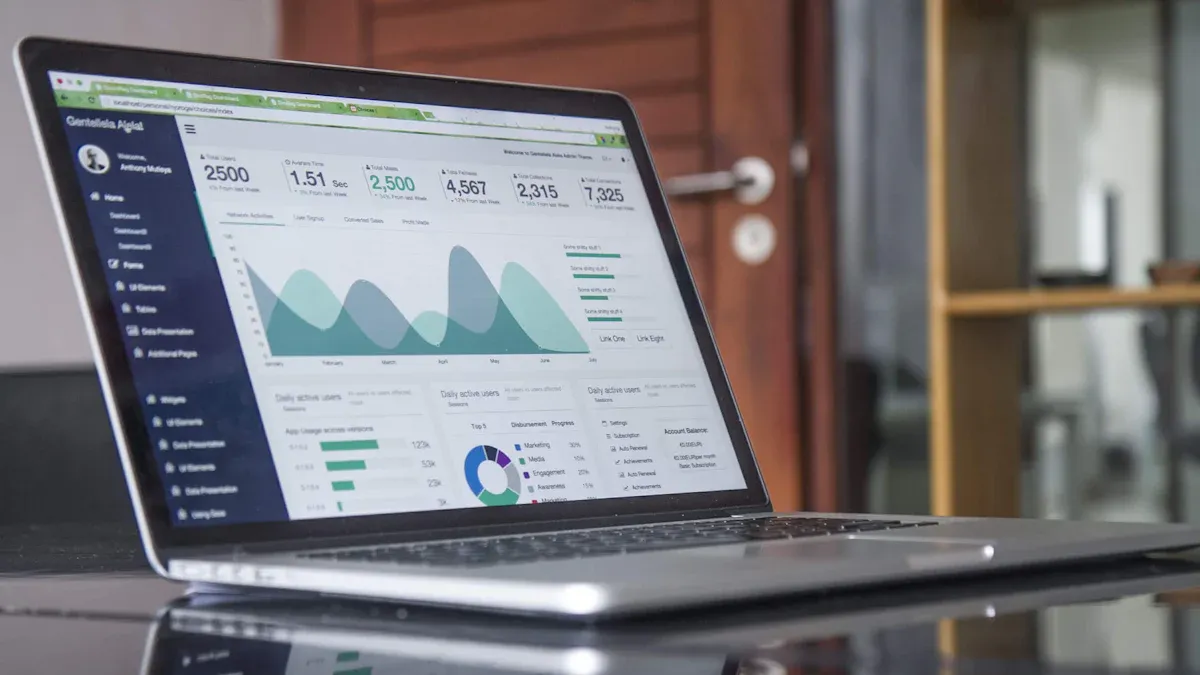
Business Management Systems help organizations make smarter decisions by providing centralized access to data and powerful analytics tools. Systems and teams have seen their clients benefit from unified dashboards, instant reporting, and real-time analysis. These features allow leaders to respond quickly to changes and plan for future growth.
Centralized Data Access
Centralized data access gives every department the same information. This reduces confusion and helps teams work together.
Unified Dashboards
Unified dashboards display key metrics in one place. They offer real-time insights and automate data collection. Teams can track financial performance instantly and analyze trends with customizable visualizations.
Unified dashboards provide real-time insights, allowing businesses to track financial performance instantly.
They automate data collection, which reduces the time spent on manual data entry and minimizes errors.
Customizable visualizations enable teams to analyze data more effectively, leading to quicker decision-making.
Instant Reports
Instant reports help teams make decisions faster. Reporting tools create a single source of truth, breaking down data silos across departments. This centralization ensures that all teams use up-to-date information.
Unified reporting tools create a single source of truth, breaking down data silos across departments.
Centralization ensures that all teams are working with the same, up-to-date information, enhancing collaboration.
It allows for smarter, faster decisions that can significantly impact the company's future.
Real-Time Analytics
Real-time analytics allow organizations to react quickly to market changes and customer needs. Systems and teams use these tools to spot opportunities and track key performance indicators (KPIs).
Spotting Opportunities
Businesses use real-time analytics to find new market opportunities. For example, sports betting and gaming companies enhance customer experience through real-time personalization. Inventory management teams optimize stock levels by analyzing live data. Website analytics monitor user behavior to improve engagement and conversion rates.
Sports betting and gaming: Enhances customer experience through real-time personalization and reduces fraud risk.
Inventory and stock management: Optimizes inventory and improves operational efficiency by analyzing real-time data.
Website analytics: Monitors user behavior live to improve engagement and conversion rates.
Personalization: Tailors user experiences based on immediate behavior and preferences.
User-facing analytics: Provides users with relevant metrics to enhance product understanding and reduce churn.
Tracking KPIs
Tracking KPIs helps managers measure performance and adjust strategies. Real-time analytics offer several benefits:
Benefit Description | Impact on Business Growth |
|---|---|
Enhanced decision-making through real-time data analysis. | Enables businesses to react promptly to market changes and customer needs, improving overall responsiveness. |
Automation of systems for quick responses to events. | Helps businesses manage supply chain issues and operational bottlenecks effectively. |
Monitoring suppliers in real time to automate procurement decisions. | Reduces supply costs and enhances efficiency in procurement processes. |
Building dynamic customer profiles for targeted marketing. | Increases customer engagement by providing relevant offers based on real-time data. |
Instant access to performance metrics and market conditions. | Facilitates timely decision-making, allowing businesses to adapt strategies without delay. |
Tip: Detecting fraud, responding to supply chain bottlenecks, and identifying workflow problems become easier with real-time analytics.
Strategic Planning
Strategic planning relies on accurate data and forecasting. Business Management Systems support leaders in making informed investments and adapting to market changes.
Forecasting Trends
Real-time data and analytics improve forecasting accuracy. Companies can predict market shifts and adjust their strategies. Operational metrics and KPIs provide measurable insights into performance.
Business Management Systems provide real-time data and analytics, which are essential for informed decision-making in strategic planning.
These systems enhance operational efficiency and support data-driven strategies, crucial for adapting to market changes.
Scalability offered by Business Management Systems allows companies to grow without losing efficiency, which is vital for sustainable growth.
Informed Investments
Informed investments depend on reliable data. Data-driven decision-making improves forecasting accuracy and overall performance. Leaders use these insights to allocate resources wisely and support long-term growth.
Systems and teams have helped clients use centralized data and analytics to make smarter decisions, spot new opportunities, and plan for the future. By leveraging these tools, organizations can respond quickly to changes and drive sustainable growth.
Enhancing Collaboration
Business Management Systems play a key role in improving how teams work together. These systems help organizations communicate better, finish projects faster, and encourage new ideas. Systems and teams have seen their clients achieve stronger teamwork and more innovation by using these tools.
Team Coordination
Shared Calendars
Shared calendars make it easy for everyone to see when team members are available. This visibility helps teams schedule meetings and plan work without confusion. The global collaboration market is growing quickly, showing that more companies value tools like shared calendars. These calendars also help teams delegate tasks and keep everyone accountable. When team members understand each other's roles, they can work together more smoothly.
Shared calendars improve communication by showing availability.
They help with task delegation and management.
Teams gain transparency about roles and responsibilities.
Task Management
Task management features let teams assign work, set deadlines, and track progress. Project management software gives teams insights into productivity and helps them spot problems early. Teams can optimize workflows and keep projects on track. The table below shows how these systems improve results:
Metric | Improvement |
|---|---|
Team Communication | |
Quality of Final Product | 44% |
Customer Satisfaction | 38% |
Note: Better coordination leads to higher quality work and happier customers.
Communication Tools
Messaging Systems
Messaging systems like Slack, Zoom, and Microsoft Teams help teams talk in real time or send messages when it suits them. These tools are easy to use and support both quick chats and longer discussions. They also connect with other platforms, making it simple to share information.
Slack offers organized channels and direct messaging.
Zoom supports video meetings and webinars.
Microsoft Teams allows file sharing and real-time document editing.
Document Sharing
Document sharing tools let teams work together on files and share knowledge quickly. Structured access to documents means everyone finds what they need without delay. This approach speeds up training and helps new team members learn faster.
Technique | Description |
|---|---|
Structured Access | Organized information improves efficiency. |
Collaboration | Teamwork leads to better project outcomes. |
Reduced Onboarding Time | Faster training boosts productivity. |
Effective knowledge sharing helps teams learn from each other and build on past experience.
Driving Innovation
Cross-Team Projects
Cross-team projects bring together people from different departments. Companies like Cisco, Northwestern Mutual, Apple, and Nokia have used this approach to launch new products and stay ahead in their industries.
Company | Approach to Collaboration | Innovation Outcome |
|---|---|---|
Cisco | Moved to a collaborative environment | Became a top router security vendor with faster product launches |
Northwestern Mutual | Used cross-functional teams early | Gained an edge with one of the first information systems |
Apple | Formed teams to improve user experience | Changed the smartphone market and grew revenue |
Nokia | Hired cross-functional leaders and used agile methods | Created a risk-tolerant culture and developed new technologies |
Quick Feedback
Quick feedback loops help teams improve products and services faster. Ephemeral environments allow teams to test changes right away, find issues, and make improvements quickly. This process keeps quality high and helps teams respond to customer needs.
Systems and teams have helped clients use these collaboration tools to boost communication, speed up project delivery, and drive innovation. By making teamwork easier, Business Management Systems support growth and success.
Implementing Business Management Systems
Choosing the Right System
Assessing Needs
Selecting the best system starts with understanding what the business requires. Leaders should identify the essential functions their teams need. They should consider how the system will help manage cash flow, budgets, and communication. A good system must be easy to use and quick to deploy. Scalability matters, as the system should grow with the business.
Check if the system supports finance management.
Ensure user-friendliness and available training.
Evaluate deployment speed and impact.
Confirm the system can scale as the business expands.
Tip: Involving team members in the needs assessment process increases buy-in and ensures the system fits real workflows.
Comparing Features
Comparing features helps businesses find the right fit. The table below shows important features to consider:
Feature | Description |
|---|---|
Automated, customizable workflows | Automates tasks and adapts to company policies. |
Real-time budget tracking | Shows budget impacts instantly and prevents overspending. |
User-friendly mobile access | Allows approvals and requests from any location. |
Advanced spend analytics | Reveals spending patterns and cost-saving opportunities. |
Integration capabilities | Connects with existing systems for accurate records. |
Automated workflows and real-time tracking improve efficiency. Mobile access and analytics support better decisions. Integration ensures smooth data flow across departments.
Onboarding and Training
User Adoption
Successful onboarding helps employees feel confident using the new system. Weekly one-on-one meetings help discuss goals and resources. Personalizing the onboarding experience makes new hires feel valued. Managers should watch for early signs of disengagement and address them quickly.
Create a checklist of onboarding tasks.
Send welcome emails to guide new users.
Track progress with onboarding software.
A positive first impression encourages employees to use the system daily.
Support Resources
Ongoing support boosts user confidence and reduces frustration. Businesses should offer role-based training and multiple formats, such as videos and hands-on sessions. A dedicated help desk and an online resource library provide answers when needed. Online forums let users share tips and solve problems together.
Continuous support helps users adapt to changes.
Tailored training increases engagement.
Hands-on practice builds skills.
Accessible resources ensure help is always available.
Measuring Success
Growth Metrics
Tracking the right metrics shows if the system delivers value. Key metrics include:
User adoption rates
Return on investment (ROI)
Process efficiency improvements
Data accuracy and integrity
Integration effectiveness
System uptime and performance
Customer and vendor satisfaction
Compliance and security
On-budget and on-time delivery
Regular reviews of these metrics help leaders see progress and spot areas for improvement.
Strategy Adjustments
Data from the system guides business strategy. Organized data makes it easier to find insights. Leaders can adjust plans to match business goals and market changes. A strong data management approach supports better decisions and compliance.
Note: Businesses that review their data regularly can adapt faster and grow more efficiently.
By following these steps, organizations can implement Business Management Systems successfully and achieve lasting growth.
Business Management Systems help companies grow by streamlining operations, supporting data-driven decisions, and improving collaboration. The table below shows the most significant growth outcomes:
Growth Outcome | Description |
|---|---|
Increased Efficiency | Automation reduces staff burden and errors. |
Improved Decision-Making | Real-time data leads to quick, informed choices. |
Enhanced Scalability | Systems handle more work as companies expand. |
Better Customer Service | Integrated tools improve customer satisfaction. |
Data-driven strategies let businesses spot trends and create better customer experiences. Teams work together more effectively, which leads to faster growth. For those interested in learning how to achieve these results, reach out to us at systems and teams.
FAQ
What is a Business Management System?
A Business Management System is software that helps companies organize, automate, and track their daily operations. It connects different departments and gives leaders tools to manage tasks, data, and communication.
How does a Business Management System improve efficiency?
The system automates repetitive tasks and connects workflows. Teams finish projects faster and make fewer mistakes. Leaders can see progress in real time and fix problems quickly.
Can small businesses benefit from these systems?
Yes. Small businesses use Business Management Systems to save time, reduce errors, and grow faster. The systems scale with the company and fit many budgets.
What features should companies look for?
Key features include automated workflows, real-time analytics, mobile access, and integration with other tools. A user-friendly interface and strong support resources also help teams succeed.
Is training required to use a Business Management System?
Most systems need some training. Many offer tutorials, videos, and help desks. Good onboarding helps teams use all features and get results quickly.
How do these systems support data-driven decisions?
They collect and organize data from every department. Leaders use dashboards and reports to track performance, spot trends, and plan for growth.
Are Business Management Systems secure?
Most systems use strong security measures like encryption and access controls. Companies should check for regular updates and compliance with industry standards.
How long does it take to implement a Business Management System?
Implementation time depends on company size and system complexity. Many businesses complete setup in a few weeks. Planning and training speed up the process.


