Business Processes You Can Start Today

Business processes shape how companies operate and make decisions. They provide structure and help teams use resources efficiently. Many organizations start by identifying incidents, logging and classifying them, containing issues, diagnosing causes, resolving problems, and reviewing outcomes. Automating invoice processing, implementing applicant tracking systems, and using chatbots enhance operations. Lean methodology streamlines workflows. Effective technology integration, clear communication, and strategic leadership improve systems and support growth.
Key Takeaways
Implement daily check-ins to boost team engagement and productivity. These meetings help align goals and recognize achievements.
Use email templates for common scenarios to save time and ensure consistent communication across your organization.
Track expenses daily to maintain financial health. Regular reviews help identify spending patterns and support better decision-making.
Set clear response time goals for customer service to enhance satisfaction and build trust with clients.
Create standard operating procedures (SOPs) to ensure consistency and efficiency in business processes, reducing errors and improving results.
Automate routine tasks to improve operational efficiency. This allows employees to focus on strategic work and enhances overall productivity.
Utilize project tracking tools to monitor progress and keep teams aligned with organizational goals, ensuring timely completion of tasks.
Gather customer feedback regularly to understand their needs and improve services, fostering loyalty and satisfaction.
Communication Processes

Effective communication processes help teams stay connected and informed. These processes support clarity, trust, and collaboration. Small teams can implement communication strategies quickly to see immediate benefits. The following table shows three strategies that improve communication in organizations:
Strategy | Description |
|---|---|
Clarity in Communication | Clearly explain changes and their impacts to build trust and encourage collaboration. |
Team Involvement | Include team members in discussions and gather feedback to foster a culture of continuous learning. |
Weekly Feedback Loops | Implement regular check-ins to identify blockers early and maintain alignment among team members. |
Daily Check-ins
Daily check-ins create a routine for sharing updates and addressing concerns. Teams use these meetings to align on goals and recognize achievements. Studies show that daily check-ins enhance employee engagement and boost productivity. They also strengthen morale and trust within the team.
Consistent Timing
Teams schedule check-ins at the same time each day. This consistency helps everyone prepare and participate. A regular schedule reduces confusion and ensures that communication remains a priority.
Simple Format
A simple format keeps check-ins efficient. Teams often use a three-question approach:
What did you accomplish yesterday?
What will you work on today?
Are there any obstacles?
Tip: Keep check-ins brief. Focus on progress and challenges. Encourage participation from all team members.
Daily check-ins enhance employee engagement by providing a space for recognition and support.
They boost productivity by ensuring alignment on goals and addressing potential roadblocks early.
Regular communication strengthens morale and trust, fostering a supportive team culture.
Weekly check-ins facilitate professional development through continuous feedback and skill-building opportunities.
Email Templates
Email templates streamline communication for common scenarios. Teams save time by using pre-written messages for routine tasks. Templates also ensure consistency and professionalism in every interaction.
Common Scenarios
Teams create templates for situations such as:
Meeting invitations
Project updates
Customer inquiries
Follow-up messages
Templates help employees respond quickly and accurately. They reduce errors and maintain a standard tone across the organization.
Team Sharing
Teams share templates using a central platform. This approach allows everyone to access and update templates as needed. Sharing templates encourages collaboration and keeps communication processes efficient.
Explanation | |
|---|---|
Establish a baseline | Helps identify focus areas and track improvement over time. |
Highlight key issues | Pinpoints critical areas for action, informing communication plans. |
Learn communication preferences | Adapts strategies to effectively reach employees based on their preferences. |
Communication processes form the foundation of many business processes. Teams that use daily check-ins and email templates see improvements in productivity and morale. Structured communication helps organizations measure performance and adapt strategies for growth.
Financial Management Processes
Financial management processes help businesses maintain control over their money and make informed decisions. Small businesses can start several essential processes today to improve financial health and support growth. These processes include expense tracking and invoicing, which form the backbone of effective business operations.
Expense Tracking
Expense tracking allows businesses to monitor where money goes each day. This process helps owners understand spending patterns and identify areas for cost savings. Without regular tracking, companies may believe they are profitable when they are not. Maxine Stern, a former business mentor, highlights that accurate expense tracking is essential for assessing financial health and avoiding losses.
Tracking Method
Businesses can choose from several methods to track expenses. Some use spreadsheets, while others prefer accounting software. The right method depends on the size of the business and the complexity of its transactions. Many small businesses start with a simple spreadsheet to log daily expenses. As the business grows, switching to software can save time and reduce errors.
Common financial management processes for small businesses include:
Budgeting and forecasting
Financial reporting and analysis
Daily Recording
Recording expenses daily ensures that no transaction gets missed. This habit keeps records accurate and up to date. Owners and managers can review expenses at the end of each week to spot trends or unusual spending. Regular reviews help control costs and support better decision-making.
Tip: Set a reminder to record expenses at the same time each day. Consistency builds strong financial habits.
Invoicing
Invoicing is a critical process for getting paid on time. Efficient invoicing helps businesses maintain steady cash flow and build trust with clients. A clear and organized invoicing system reduces confusion and speeds up payments.
Invoice Template
A good invoice template includes all the necessary details for clients to process payments quickly. The table below shows the essential elements of an effective invoice:
Essential Element | Description |
|---|---|
Clear and concise contact information | Include your name, address, phone number, and email for easy communication. |
Accurate billing details and itemized breakdown | Provide a detailed breakdown of products or services, including quantity, unit price, and taxes. |
Transparent payment terms and due dates | Clearly state payment terms, due dates, and acceptable payment methods to ensure timely payments. |
Review Schedule
Businesses should set a regular schedule to review invoices. Weekly or biweekly reviews help identify unpaid invoices and follow up with clients. This process keeps cash flow steady and reduces the risk of missed payments.
Cash flow forecasting
Invoice management
Expense control
Working capital management
Financial management processes like expense tracking and invoicing form the foundation of strong business processes. These steps help businesses stay organized, avoid losses, and plan for future growth.
Customer Service Processes
Customer service processes help businesses respond to customer needs and collect valuable feedback. These processes improve satisfaction and build trust. Many organizations see immediate benefits when they set clear response protocols and gather feedback regularly.
Response Protocols
Response protocols guide teams on how to reply to customer questions and problems. These protocols set clear expectations for speed and responsibility. When teams follow these steps, they create a better experience for customers.
Response Time Goals
Fast response times make customers feel valued. Quick replies show that the business cares about their needs. The table below explains how response speed affects customer satisfaction:
Impact of Response Time on Customer Satisfaction | Description |
|---|---|
Fast interactions increase satisfaction | Timely responses foster positive customer experiences and contribute to increased customer retention rates. |
Slow responses damage trust | Delayed responses tell customers that their needs may not be a priority, pushing them to competitors. |
Rapid responses build loyalty | Fast reply times increase customer loyalty and trust, making customers more likely to renew subscriptions. |
Teams should set clear goals for how quickly they answer emails, calls, or messages. For example, a business might aim to reply to all customer emails within 24 hours.
Responsibility Assignment
Assigning responsibility ensures that every customer gets a reply. Each team member knows which questions or problems they must handle. This process prevents confusion and missed messages. Some businesses empower frontline staff to solve issues without waiting for a manager. This approach leads to faster solutions and happier customers.
Tip: Use a shared inbox or ticketing system to track customer requests and make sure nothing gets lost.
Feedback Collection
Feedback collection helps businesses learn what customers like and dislike. By gathering insights at different points, such as after a purchase or support call, companies can spot problems early and improve their services. Continuous feedback collection also builds a stronger relationship with customers.
Surveys
Surveys are a simple way to collect structured feedback. Businesses can use online forms, in-app surveys, or even text messages to ask customers about their experiences. The table below lists common methods for collecting feedback:
Method | Description |
|---|---|
Customer Feedback Surveys | Actively seek structured feedback through surveys, questionnaires, or feedback forms. |
Social Media Engagement | Utilize social media platforms to gather unsolicited feedback from customers. |
User Interviews | Conduct interviews to gain in-depth insights into customer experiences and opinions. |
In-app Surveys | Collect feedback while users are actively using your application for contextually relevant insights. |
SMS/Text Surveys | Reach customers directly on their mobile devices for quick feedback. |
Telephone Surveys | Engage customers directly for more personal and detailed feedback. |
Case Studies | Gather feedback from a small group of participants after using your product or service. |
AI and CRM Tools | Use advanced analytics and AI tools to monitor customer feedback across various touchpoints. |
Feedback Review
Reviewing feedback helps businesses find ways to improve. For example, if many customers ask for a mobile app, the company can develop one to meet their needs. This process leads to better products and services. Acting on feedback shows customers that their opinions matter. It also increases satisfaction and loyalty.
Enhanced customer satisfaction: Addressing problems makes customers happier.
Tailored experiences: Understanding preferences allows for more personal service.
Loyalty and retention: Responding to feedback keeps customers coming back.
The feedback loop turns customer insights into real changes. These customer service processes, when added to other business processes, help companies grow and succeed.
Task & Project Management Processes
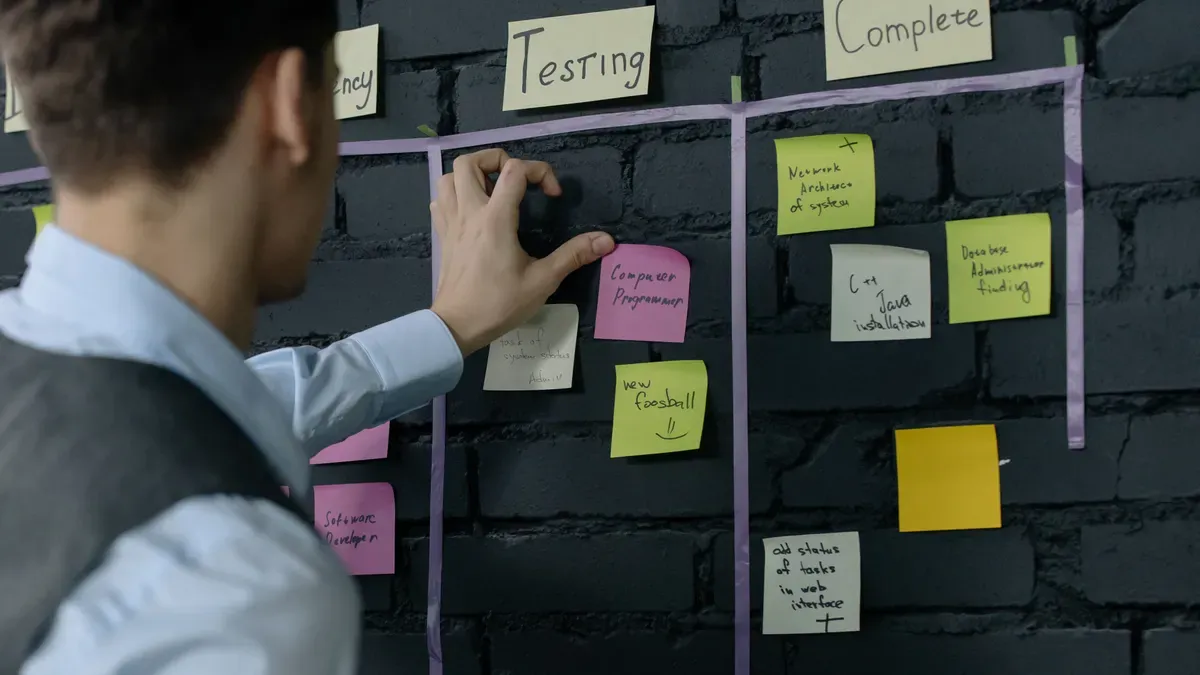
Task and project management processes help teams organize work and achieve goals efficiently. These processes support both daily operations and long-term projects. Many organizations see immediate improvements when they introduce structured approaches for managing tasks and tracking progress.
To-Do Lists
To-do lists serve as a foundation for effective task management. They help individuals and teams outline what needs to be done and when. A well-structured list can transform a busy day into a series of manageable steps.
Tool Selection
Selecting the right tool for to-do lists depends on team size and workflow. Some teams use simple paper lists, while others prefer digital tools like Trello, Asana, or Microsoft To Do. Digital tools allow for easy updates, sharing, and tracking. They also help teams stay connected, especially when working remotely. Choosing a tool that fits the team’s needs ensures everyone can access and update their tasks.
Daily Prioritization
Daily prioritization keeps teams focused on what matters most. Each morning, team members review their lists and highlight the most important tasks. This practice helps prevent overwhelm and ensures that critical work gets done first. Teams can use color coding or numbering to mark priorities. Regular prioritization also supports better time management and reduces stress.
Tip: Encourage team members to set aside five minutes at the start of each day to review and update their to-do lists.
The table below shows how to-do lists contribute to individual and team productivity:
Advantage | Description |
|---|---|
Clear objective setting | Task lists help set clear, actionable objectives that align individual roles with organizational goals. |
Efficient resource allocation | They assist in identifying how to best utilize resources, ensuring no employee is overburdened. |
Accountability | Clearly outlined tasks and deadlines foster a culture of accountability among team members. |
Enhanced productivity | Individuals using task lists are more likely to prioritize effectively, boosting their productivity. |
Work-life balance | Structured task lists help manage time efficiently, promoting a healthier work-life balance. |
Project Tracking
Project tracking ensures that teams monitor progress and stay aligned with organizational goals. Simple tracking methods can make a big difference, especially for small businesses.
Simple Tracker
A simple tracker can be a spreadsheet, a whiteboard, or a digital tool. Teams list project tasks, assign responsibilities, and set deadlines. Visual tools like Kanban boards or Gantt charts help teams see progress at a glance. These trackers make it easy to spot delays and adjust plans quickly.
Best practices for tracking project progress include:
Utilizing project management tools to monitor progress effectively.
Implementing real-time dashboards to visualize data on progress, costs, and workload.
Focusing on business process improvement to align projects with organizational strategy.
Weekly Review
A weekly review helps teams reflect on progress and plan next steps. During these meetings, team members discuss completed tasks, challenges, and upcoming priorities. This routine keeps everyone informed and motivated. Regular reviews also support continuous improvement and help teams adapt to changes.
Task and project management processes form a key part of business processes. They help teams stay organized, meet deadlines, and achieve better results.
Standard Operating Business Processes
Standard operating procedures (SOPs) help organizations create a strong foundation for their business processes. SOPs provide detailed instructions for tasks, which helps teams work efficiently and consistently. Systems and teams that use SOPs see fewer errors and better results. Clients at systems and teams often achieve faster onboarding, improved quality, and smoother handoffs by following these procedures.
SOP Creation
Creating an SOP involves several clear steps. Teams should focus on making instructions easy to follow and accessible to everyone.
Key Process Identification
Teams start by identifying and prioritizing the most important processes. They look for tasks that happen often or affect quality and customer satisfaction. For example, a team might choose to document how to handle customer complaints or process invoices. Identifying key personnel for each process ensures that the right people contribute their knowledge.
Tip: Start with processes that impact daily operations or customer experience.
Clear Instructions
Teams map out each step in the process. They use simple language and avoid technical jargon. Each instruction should be clear and concise. Teams draft the procedure, test it in real situations, and make changes if needed. After testing, they publish the SOP and keep it updated.
Steps for Creating an Effective SOP:
Identify key personnel.
Map the process.
Draft and test the procedures.
Publish and revise as needed.
Example SOP Table:
Task | Purpose | Key Steps |
|---|---|---|
Customer Onboarding | Ensure smooth start for clients | Collect documents, set up accounts, schedule welcome call |
Invoice Processing | Speed up payments | Create invoice, send to client, track payment status |
IT Support Request | Resolve tech issues quickly | Log request, assign technician, follow up |
Team Sharing
Sharing SOPs with the team ensures everyone follows best practices. This step increases consistency and reduces miscommunication.
Sharing Platform
Teams use a central platform, such as a shared drive or business process management tool, to store SOPs. This makes it easy for everyone to find and use the latest version. Updated documentation helps maintain organizational knowledge and streamlines workflows.
Team Feedback
Regular training sessions help employees understand and follow SOPs. Teams encourage feedback to improve procedures. Clear and concise instructions make adoption easier. When teams share feedback, they can update SOPs to reflect better ways of working.
Note: Sharing SOPs boosts accountability and makes onboarding new team members faster.
SOPs help systems and teams scale by ensuring consistency, quality, and efficiency. Standardized processes reduce errors, speed up training, and support business growth. Organizations that focus on SOPs see better results from their business processes.
Automation Processes
Automation processes help businesses operate more efficiently by reducing manual tasks and streamlining workflows. Many organizations use automation to improve productivity, save costs, and enhance employee satisfaction. Automation also supports standardization and compliance, making it easier to scale operations.
Note: By automating routine tasks, companies can lower labor costs and reduce errors. This leads to financial savings and allows employees to focus on more strategic work.
Email Automation
Email automation is a powerful tool for managing communication. It helps teams respond faster and maintain consistency in messaging.
Automated Replies
Automated replies ensure customers receive immediate responses. When a customer sends an inquiry, the system sends a pre-written message. This process keeps clients informed and reduces the workload for staff. Many small business owners focus on automation to mitigate burnout. In fact, 29% of them prioritize automation for this reason. Automated replies also improve customer satisfaction by providing timely information.
Campaign Scheduling
Campaign scheduling allows businesses to plan and send emails at specific times. Teams can set up marketing campaigns, newsletters, or reminders in advance. This process saves time and ensures messages reach the audience when needed. The most common email automation tools used by small businesses include:
Omnisend – For automated ecommerce campaigns
ActiveCampaign – Unmatched automation capabilities
GetResponse – For advanced list management
Brevo – Powerful automations on a budget
Klaviyo – Ecommerce email + SMS automations
Zoho Campaigns – Workflow automation + CRM software
Mailchimp – For a wide variety of triggered campaigns
Drip – Intuitive and flexible workflows
HubSpot – All-in-one sales and marketing CRM
MailerLite – Simple automations and landing pages
Benchmark – Simple and easy-to-set-up automations
Campaigner – Intuitive, behavior-based automation
Freshworks – Also comes with advanced CRM features
Tip: Scheduling campaigns helps teams avoid last-minute rushes and ensures consistent communication.
Scheduling Tools
Scheduling tools help teams organize meetings and manage time effectively. These tools improve attendance and support better time management.
Meeting Reminders
Meeting reminders notify team members about upcoming events. Automated reminders reduce missed meetings and keep everyone on track. Real-time attendance analytics provide insights into employee attendance and productivity. Managers can use this data to improve scheduling and redistribute workloads.
Calendar Apps
Calendar apps offer transparency in time tracking. Employers can monitor tasks and time spent on projects. These apps help identify productivity trends and support efficient resource allocation. The table below shows how scheduling tools impact meeting attendance and time management:
Evidence | Explanation |
|---|---|
Transparency in time tracking | Enhances overall business transparency, allowing employers to monitor tasks and time spent effectively. |
Identification of productivity trends | Helps managers redistribute workloads based on team members' productivity, improving overall team efficiency. |
Real-time attendance analytics | Provides insights into employee attendance and productivity, aiding in better time management and meeting scheduling. |
Automation processes offer many benefits, including operational efficiency, improved visibility, and enhanced customer experiences. Approximately 61% of business leaders believe automation simplifies talent selection. Machines perform tasks faster than humans, eliminating breaks and boosting productivity. These business processes help companies scale, reduce errors, and conserve resources.
Business processes such as communication routines, financial tracking, and automation drive higher productivity and innovation. Teams that use structured activities see fewer errors and better results. The table below highlights key benefits:
Benefit | Result |
|---|---|
Efficiency | |
Scalability | Growth without losing quality |
Customer Satisfaction | Stronger loyalty |
A simple checklist helps teams adopt new routines quickly. For more guidance, readers can contact systems and teams to improve their business processes.
FAQ
What is a business process?
A business process is a set of steps that a team follows to complete a task or achieve a goal. These steps help ensure consistency, efficiency, and quality in daily operations.
Why should small businesses start with simple processes?
Simple processes are easy to implement and manage. They help teams build good habits and see quick results. Starting small allows businesses to adjust and improve before adding more complex systems.
How often should teams review their business processes?
Teams should review processes regularly, such as every quarter. Regular reviews help identify problems, remove outdated steps, and improve efficiency. Teams can use feedback from employees to guide updates.
What tools help automate business processes?
Teams use tools like email automation platforms, scheduling apps, and project management software. These tools save time, reduce errors, and help teams focus on important work.
How do SOPs benefit new employees?
SOPs give new employees clear instructions for tasks. This support helps them learn faster and make fewer mistakes. SOPs also ensure everyone follows the same standards.
Can automation replace all manual tasks?
Automation handles many routine tasks, but some jobs need human judgment or creativity. Teams should automate repetitive work and let people focus on problem-solving and innovation.
What is the best way to collect customer feedback?
Teams can use surveys, online forms, or direct interviews. The best method depends on the business and its customers. Regular feedback helps companies improve products and services.
How do daily check-ins improve team performance?
Daily check-ins keep everyone informed and focused. They help teams spot problems early and celebrate progress. This routine builds trust and improves communication.


