Business Processes Everyone Can Understand Fast
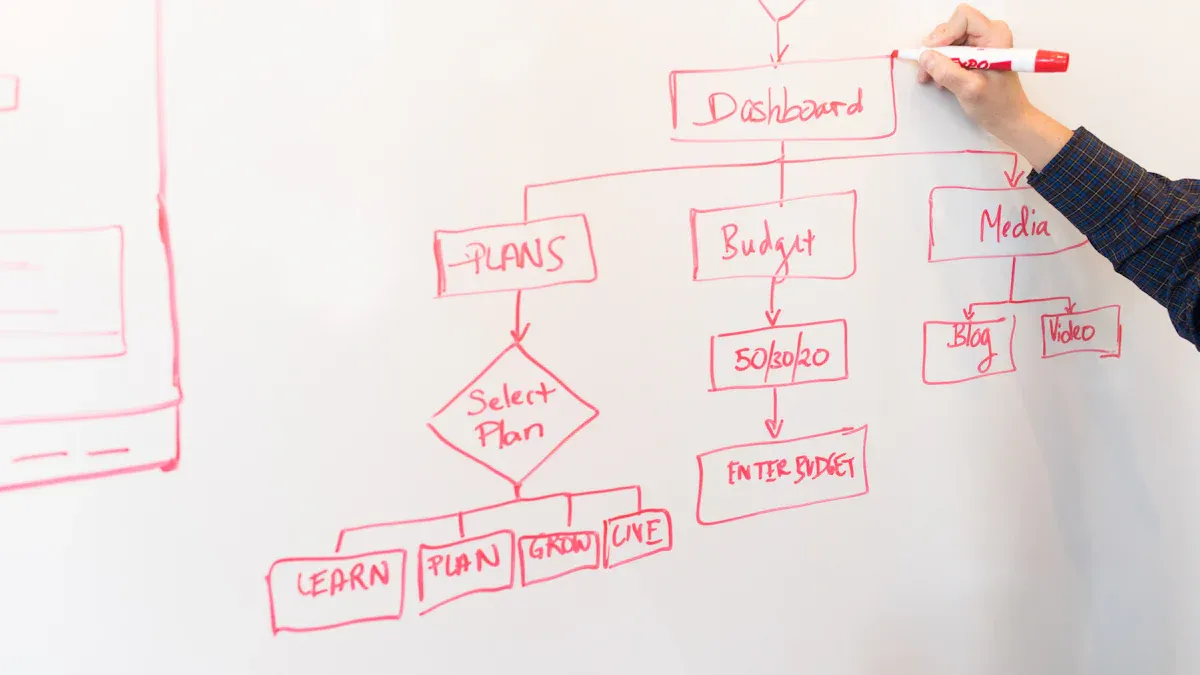
Business Processes shape how organizations use their resources and apply methodology to achieve efficiency. Many companies improve their systems by adopting clear steps for routine tasks. Results often include measurable productivity gains:
Manufacturing firms report up to a 30% reduction in production costs.
Service-based businesses note delivery times that are 40% faster.
Companies with operational improvement strategies achieve 25% higher productivity than competitors.
Key Takeaways
Business processes help organizations use resources efficiently and achieve goals.
Clear steps in processes reduce confusion and save time for employees.
Streamlined workflows can cut task completion time by up to 60%.
Regularly refining processes leads to cost savings and better resource use.
Effective processes enhance customer satisfaction and boost loyalty.
Innovation processes drive growth by generating new ideas and solutions.
Everyone in an organization can contribute to creating and improving processes.
Using checklists and mapping processes helps teams identify and fix inefficiencies.
Why Business Processes Matter
Benefits for Everyone
Understanding business processes helps people in many ways, not just business professionals. Clear steps make work easier for everyone. When employees follow well-defined processes, they avoid confusion and save time. Systems and teams that use these processes often see positive results. Clients at systems and teams report smoother workflows and fewer mistakes.
Improved workflow management
Cost minimization
Enhanced visibility into processes
Better collaboration among teams
Increased productivity
Agility
Compliance
Efficiency
Clearly defined processes eliminate guesswork. Employees do not need constant supervision, which reduces delays and confusion. Streamlining workflows can cut task completion time by 40% to 60%. This allows employees to focus on more valuable work.
How They Help Organizations
Organizations rely on business processes to achieve goals and improve results. Systems and teams that use structured processes often perform better than those without them. The following table shows how business process improvement (BPI) helps organizations:
Mechanism | Description |
|---|---|
Improving Productivity | BPI enhances productivity by streamlining workflows and reducing inefficiencies. |
Mitigating Risks | Continuous risk assessment prepares employees to handle potential issues effectively. |
Enhancing Quality | BPI improves service or product quality by eliminating bottlenecks, ensuring client satisfaction. |
Achieving Cost-Effectiveness | Optimizing processes allows for better resource allocation, reducing expenses and improving financial health. |
Organizations measure success in several ways. They track cycle time, error rates, resource utilization, cost savings, revenue generation, customer feedback, employee satisfaction, regulatory compliance, process improvement pipeline, and sustainability. These metrics show how well the processes work and where improvements are needed.
Why Care
Employees and managers care about business processes for many reasons. Streamlined processes give organizations a competitive advantage. They help reduce time-to-market and improve product quality. Regular refinement identifies inefficiencies, leading to cost savings and better resource use. Well-developed processes adapt to business growth and maintain performance.
Competitive Advantage: Streamlined processes enhance efficiency and reduce time-to-market, leading to superior product quality and customer service.
Cost Efficiency: Regularly refining processes helps identify inefficiencies, resulting in cost savings and better resource allocation.
Scalability: Well-developed processes adapt to business growth, maintaining performance without sacrificing quality.
Compliance and Risk Management: Structured processes ensure adherence to regulations, minimizing risks of violations.
Enhancing Customer Satisfaction: Focused processes improve customer experiences, boosting loyalty and retention.
Employee Engagement and Productivity: Clear processes enhance understanding of roles, leading to higher engagement and productivity.
Innovation and Adaptation: Continuous development of processes fosters innovation and agility in response to market changes.
Information and Data Management: Effective processes provide a framework for consistent data management, aiding better decision-making.
Many people think process improvement is only for big businesses or manufacturing companies. This is not true. Small organizations and service-based businesses also benefit. Process improvement does not require expensive technology or consultants. Small changes can make a big difference. Continuous improvement matters because processes evolve over time.
Note: Systems and teams that embrace business processes achieve better results, including higher productivity, improved quality, and greater customer satisfaction.
Business Processes Basics
Simple Definition
A business process is a series of tasks completed in order to achieve a specific goal for a business. This definition comes from leading business textbooks and helps people understand the concept quickly. Each process has a clear beginning and end. People follow steps in a set order to reach a result. These steps can involve people, technology, or both.
A business process acts like a recipe. It tells everyone what to do, when to do it, and how to do it. This structure helps teams avoid mistakes and reach goals faster.
Everyday Examples
Business processes do not only exist in offices or factories. People use them every day, often without realizing it. These routines help organize tasks and make life easier.
Breakfast Routine
Many people follow a process each morning to prepare breakfast. They might:
Decide what to eat.
Gather ingredients.
Cook or prepare the food.
Set the table.
Eat breakfast.
Clean up afterward.
Each step follows a logical order. Skipping a step, like forgetting to gather ingredients, can slow things down or cause problems. This routine shows how a simple process helps people start their day smoothly.
Grocery Shopping
Grocery shopping also follows a process. People often:
Make a shopping list.
Check what they already have at home.
Go to the store.
Find and select items.
Pay for groceries.
Bring them home and put them away.
This process saves time and prevents missed items. It also helps people stick to a budget and avoid buying unnecessary things.
Relating to Work
Business processes appear in many work settings, not just in traditional offices. For example:
Full-time teleworkers in sales, consulting, and field service roles work from customer sites.
Entire virtual workforces handle customer service functions remotely.
Teams conduct meetings using conferencing systems instead of meeting in person.
Employees share documents electronically rather than using physical copies.
These examples show that business processes help organize work, whether people work in an office, at home, or on the road. Clear steps guide employees through tasks, making sure everyone knows what to do next. This structure supports teamwork and helps organizations reach their goals.
Business processes shape daily routines and professional tasks. People use them to save time, reduce errors, and improve results. Understanding these basics helps everyone work smarter, not harder.
Types of Business Processes

Operational Processes
Delivering Value
Operational processes form the backbone of any organization. These processes enable work to get done, such as production, order fulfillment, and service delivery. They focus on creating goods or services for customers. Teams follow structured activities that include planning, preparing, executing, and assessing tasks. Operational processes aim for efficiency, high quality, and customer satisfaction.
Characteristic | Description |
|---|---|
Structured Activities | Essential for achieving organizational goals, including planning, preparing, executing, and assessing. |
Efficiency | Designed to maximize efficiency in operations. |
Quality | Ensures high-quality outputs. |
Customer Satisfaction | Enhances customer satisfaction through effective processes. |
Operational processes produce goods and services for external customers. Administrative processes generate information and plans for internal use. Effective integration across functions prevents fragmentation and keeps operations smooth. Managers use the work processes perspective to address fragmentation and improve cross-functional teamwork.
Tip: Operational processes directly impact the organization’s ability to deliver value to customers. Teams that focus on efficiency and quality often see higher customer satisfaction.
Support Processes
Helping the Core
Support processes provide essential resources and services that help operational processes run smoothly. These processes include IT management, human resources, and facility maintenance. Support processes do not create products or services for customers, but they enhance the efficiency and effectiveness of core activities.
Support processes are auxiliary and provide resources to operational processes.
Operational processes are core activities that create primary value, directly impacting the organization by generating products or services for customers.
Support processes enhance the efficiency and effectiveness of operational processes.
For example, the IT department ensures that employees have reliable technology. Human resources manage hiring, training, and payroll. These functions allow operational teams to focus on delivering value without distractions.
Note: Support processes are vital for maintaining smooth operations. They help organizations avoid disruptions and keep teams focused on their main goals.
Management Processes
Guiding the Team
Management processes guide the organization toward its goals. These processes involve planning, leading, organizing, and controlling activities. Managers set objectives, create strategies, motivate employees, and monitor performance.
Planning: Sets objectives and creates strategies to reach them.
Leading: Motivates employees and manages change to accomplish goals.
Organizing: Designs jobs and coordinates work activities.
Controlling: Measures performance and takes necessary actions to improve it.
Managers arrange resources and tasks to align with organizational objectives. They monitor activities and adjust them to meet performance standards. For instance, Delta Airlines operated at a revenue of 12.15 cents per seat-mile, showing how efficiency in management processes contributes to achieving organizational goals.
Management processes ensure that teams stay on track and adapt to challenges. Effective leadership and planning help organizations reach their targets and maintain high performance.
Business Processes include operational, support, and management categories. Each type plays a unique role in helping organizations achieve their goals and deliver value.
Innovation Processes
Creating New Ideas
Innovation processes drive progress within organizations. These processes focus on generating new ideas, developing creative solutions, and transforming concepts into products or services. Teams use innovation to solve problems, improve existing offerings, and explore new opportunities. Leaders encourage employees to think differently and challenge traditional methods.
A culture of innovation helps companies stay ahead in competitive markets. When organizations embrace change, they introduce revolutionary products and services. This proactive approach shapes industry trends and gives businesses a significant advantage. Companies that value innovation often lead their fields and set new standards.
"Innovation distinguishes between a leader and a follower." — Steve Jobs
Innovation processes include several key activities:
Idea generation: Employees brainstorm and share creative thoughts.
Research and development: Teams test concepts and refine solutions.
Prototyping: Designers build models to evaluate new products.
Market testing: Companies gather feedback from customers.
Launch: Organizations introduce new offerings to the market.
These steps help businesses turn ideas into tangible outcomes. Corporate innovation transforms concepts into real products or services. This continuous pursuit of improvement allows companies to stay ahead of competitors. By focusing on innovation, organizations drive growth and maintain their competitive edge.
Many companies integrate innovation into their core strategies. They focus on knowledge related to product and service design. This integration allows firms to enter new markets at reduced costs. Lower entry barriers make business growth easier and more sustainable. Innovation and new technology are recognized as key factors in achieving and maintaining competitive advantage.
A strong innovation process challenges existing norms. Teams question old practices and look for better ways to serve customers. This mindset leads to creative solutions and improved strategies. Organizations that foster innovation adapt quickly to changes in the market.
Business Processes include innovation as a vital component. These processes support creativity and encourage employees to develop new ideas. Companies that prioritize innovation often see increased growth, improved products, and greater customer satisfaction.
Activity | Purpose |
|---|---|
Brainstorming | Generate fresh ideas |
Research | Explore possibilities |
Prototyping | Test and refine concepts |
Market Testing | Gather feedback and improve offerings |
Launch | Introduce new products or services |
Innovation processes help organizations stay relevant and competitive. They enable businesses to respond to changing customer needs and industry trends. By creating new ideas, companies build a foundation for long-term success.
Identify Business Processes
Quick Checklist
Organizations often use checklists to keep track of important steps in their workflows. These checklists help teams ensure that tasks are completed correctly and on time. Different types of checklists serve different purposes. The table below shows common checklist types and their main uses:
Checklist Type | Purpose |
|---|---|
Process Checklists | Track steps in operational workflows to ensure tasks are completed. |
Compliance Checklists | Ensure adherence to regulatory standards in industries like healthcare. |
Maintenance Checklists | Help track inspections and repairs for equipment reliability. |
Safety Checklists | Ensure adherence to safety protocols, reducing accident risks. |
Audit Checklists | Standardize evaluation processes for internal and external audits. |
Teams also rely on a few key tools to quickly identify business processes:
Key Performance Indicators (KPIs) show how well a process works. They act as vital signs for operations.
Comprehensive Process Maps provide a clear picture of each step, making it easier to spot problems during audits.
Regulatory Compliance Checks confirm that processes meet industry standards and run efficiently.
Tip: Using the right checklist helps teams avoid mistakes and keeps work on track.
Steps to Spot a Process
Spotting a business process in a workflow requires a clear approach. Teams can follow these steps to identify and improve processes:
Set clear objectives. Define what success looks like for the team or project.
Document current processes. Write down how work actually happens, not just how it should happen.
Create process maps. Draw diagrams to visualize each step and see the workflow.
Identify bottlenecks and gaps. Look for delays, errors, or missing steps that slow down progress.
Design process improvements. Develop solutions to fix the issues found.
Implement and track changes. Put new ideas into action and monitor the results.
This method helps teams understand their work better and find ways to improve it.
Common Signs
Certain signs often reveal the presence of a business process that needs attention. Teams should watch for these indicators:
Inefficiency and bottlenecks: Tasks take longer than expected or get delayed often.
High error rates and quality issues: Frequent mistakes or poor results suggest weak processes.
Rising operational costs and shrinking margins: Costs go up while profits go down, pointing to inefficiency.
Lack of agility in adapting to change: The team struggles to keep up with competitors or new demands.
Employee frustration and burnout: Workers feel stressed or unhappy, often due to confusing or broken processes.
Note: Recognizing these signs early helps organizations fix problems before they grow.
By using checklists, following clear steps, and watching for common signs, organizations can quickly identify and improve their business processes. This approach leads to smoother workflows, better results, and happier teams.
Map a Business Process

Choose a Process
Selecting the right business process to map helps organizations focus their improvement efforts. Teams often start by identifying pain points that impact company performance. They evaluate processes that lack clear structure or definition. Revenue-generating activities and those causing negative outcomes receive priority. Teams define the purpose of mapping, such as improving efficiency or reducing errors.
Key criteria guide the selection process:
Teams identify processes with the greatest effect on customers, such as core, enabling, or guiding activities.
They link processes to strategic goals, ensuring alignment with company objectives.
Necessity-driven improvements, like failed audits or management mandates, prompt immediate action.
Teams consider processes that cross departments, as these often require better coordination.
Tip: Mapping processes that affect multiple teams can reveal hidden inefficiencies and improve collaboration.
List the Steps
After choosing a process, teams break it down into individual steps. They start by identifying stakeholders involved or affected by the process. Teams create a visual map of the current workflow. Data collection follows, helping teams understand how the process operates.
The next phase involves analyzing the process map and data to spot bottlenecks and inefficiencies. Teams engage stakeholders in discussions to gather insights and suggestions. Researching industry benchmarks and best practices provides context for improvement. Cross-functional brainstorming sessions generate potential solutions.
Teams prioritize solutions based on impact and feasibility. They design a new, improved process flow and develop a detailed implementation plan. Pilot testing allows teams to evaluate changes on a small scale. Once satisfied, they roll out the new process and monitor its performance. Continuous feedback collection ensures ongoing improvement. Teams track key performance indicators to measure success and optimize the process.
Essential steps for listing a business process:
Map the current process
Gather data
Analyze for bottlenecks
Engage stakeholders
Research benchmarks
Brainstorm solutions
Prioritize improvements
Design future state
Develop implementation plan
Test and iterate
Implement and monitor
Collect feedback
Measure and optimize
Draw the Flow
Drawing a business process flow diagram helps teams visualize how work moves from start to finish. Teams use standard symbols to ensure clarity and consistency. Mapping the baseline path first shows the most common sequence of activities. Stakeholder engagement provides valuable insights and validates the process map.
A clear diagram highlights each step, decision point, and outcome. Teams use arrows to show direction and connections between tasks. Standard shapes, such as rectangles for activities and diamonds for decisions, make the diagram easy to read.
Note: Effective process flow diagrams help teams spot inefficiencies and communicate changes clearly.
Teams review the diagram with stakeholders to confirm accuracy. This collaborative approach ensures everyone understands the process and supports improvement efforts.
Check and Improve
Teams must regularly check and improve business processes to keep organizations running smoothly. They review mapped processes to find areas that need change. Checking a process means looking for steps that waste time or resources. Improving a process means making it faster, simpler, or more reliable.
Teams start by collecting feedback from employees who use the process every day. They ask questions about what works well and what causes problems. Managers look at performance data, such as how long tasks take or how often mistakes happen. They compare results to industry standards and company goals.
A process review often includes these steps:
Observe how the process works in real situations.
Identify steps that cause delays or confusion.
Measure how much time and money each step uses.
Ask employees for suggestions to make the process better.
Test new ideas on a small scale before making big changes.
Teams that check and improve processes often find ways to save time and reduce costs. They also make work easier for employees and improve customer satisfaction.
Organizations use several strategies to check and improve mapped business processes. The table below shows common strategies and their benefits:
Strategy | Benefit |
|---|---|
Increase operational efficiency | Eliminates unnecessary or poorly designed activities. |
Improve customer experience | Ensures fast, simple, and consistent workflows. |
Facilitate digital transformation | Clarifies functional and automatable requirements. |
Reduce costs | Eliminates waste and optimizes resource usage. |
Standardize and stabilize operations | Ensures predictability and reduces variability. |
Foster a culture of continuous improvement | Involves teams in identifying and solving problems. |
Teams use these strategies to make processes more effective. They remove steps that do not add value. They focus on making workflows simple and consistent. Digital tools help automate tasks and reduce manual work. Standardizing processes makes results predictable and stable.
Continuous improvement plays a key role. Teams meet regularly to discuss problems and share ideas. They encourage everyone to look for ways to make work better. This culture helps organizations adapt to changes and stay competitive.
Checking and improving business processes helps organizations reach their goals. It leads to better performance, lower costs, and happier customers. Teams that review and refine their processes build a strong foundation for success.
Common Questions
Process vs. Task
Many people confuse business processes with tasks. Understanding the difference helps teams organize work more effectively. A business process consists of several steps that lead to a specific business goal. Each step in the process is called a task. Tasks are smaller, manageable actions that contribute to the overall process.
The table below highlights the key differences:
Aspect | Business Process | Task |
|---|---|---|
Definition | A series of steps taken to achieve a particular business goal. | A smaller, manageable action item that is part of a process. |
Complexity | Can range from simple to complex, involving multiple steps and interactions. | Generally discrete and self-contained, often simpler than processes. |
Interdependence | Tasks within a process are interconnected and dependent on one another. | Tasks can be completed in isolation without a direct end goal. |
Management Approach | Process management focuses on strategizing and aligning processes within an organization. | Task management emphasizes prioritizing and tracking individual tasks. |
Example | Registering travel expenses involves multiple steps and approvals. | Running daily reports as part of a larger monthly report. |
Tip: Teams that understand the difference between processes and tasks can better assign responsibilities and track progress.
For Small Businesses?
Business processes benefit organizations of all sizes. Small businesses, in particular, gain unique advantages by adopting clear processes. These advantages include:
Direct, Fluid Communication: Small teams communicate quickly, which speeds up decision-making.
Close-knit Team Dynamics: Employees often feel a strong sense of teamwork and shared responsibility.
Broad Learning Opportunities: Team members handle a variety of tasks, which helps them develop new skills.
Visible Impact of Achievements: Individual contributions stand out, making employees feel valued.
Creative Freedom: Fewer layers of management allow for more creativity and experimentation.
Small businesses can implement processes without heavy bureaucracy. Clear steps help everyone understand their roles and reduce confusion. This structure supports growth and helps small companies compete with larger organizations.
Handling Change
Organizations must adapt their business processes to stay competitive. Handling change effectively requires a thoughtful approach. The following strategies help teams manage changes in business processes:
Involve key stakeholders early to gather input and ensure practical solutions.
Communicate changes clearly and provide training for everyone affected.
Implement new processes in stages to minimize disruption.
Monitor progress using key performance indicators (KPIs) and objectives and key results (OKRs).
Review processes regularly and collect feedback from employees about challenges.
Apply the Plan-Do-Check-Act (PDCA) cycle for continuous improvement.
Note: Teams that follow these steps adjust to change more smoothly and maintain high performance.
Adapting to new processes can feel challenging. However, involving employees and providing support makes transitions easier. Regular reviews and feedback help organizations refine their processes and achieve better results.
Who Can Create Processes
Every organization needs clear business processes to operate efficiently. Creating these processes is not limited to one person or department. Several roles contribute to designing, documenting, and improving workflows.
A process owner is a designated authority who assumes accountability for a particular process within an organization, responsible for its design, implementation, monitoring, and continuous improvement.
Business owners play a key role. They set the culture and lead documentation efforts. Their leadership shapes how processes are created and maintained. They encourage teams to follow best practices and support continuous improvement.
Process owners oversee specific business processes. They manage the design and implementation of workflows. Their responsibility includes monitoring performance and making adjustments when needed. Process owners ensure that each process aligns with the organization's goals.
Staff members also participate in process creation. They document and maintain instructions for their tasks. Their involvement helps keep processes accurate and up to date. Staff members provide feedback and suggest improvements based on their daily experiences.
The following list shows who can create processes in an organization:
Business owners set the culture and lead documentation efforts.
Process owners manage specific processes and ensure their effectiveness.
Staff members involved in tasks are responsible for documenting and maintaining their own task instructions.
A process owner is an individual or team responsible for managing a specific business process from start to finish, ensuring it aligns with the organization's strategic goals. This role requires attention to detail and a commitment to ongoing improvement.
Organizations often use a structured approach to assign process creation responsibilities. The table below summarizes the main roles:
Role | Responsibility |
|---|---|
Business Owner | Sets culture, leads documentation, supports change |
Process Owner | Designs, implements, monitors, improves processes |
Staff Member | Documents tasks, maintains instructions, suggests improvements |
Teams benefit when everyone understands their role in process creation. Business owners provide direction. Process owners manage workflows. Staff members keep instructions current and practical. This collaboration leads to efficient operations and better results.
Tip: Involving staff members in process creation helps organizations spot problems early and find practical solutions.
Anyone in an organization can contribute to process creation. Leaders guide the vision. Managers oversee workflows. Employees document tasks and share insights. This shared responsibility builds strong processes and supports continuous improvement.
Business processes help organizations achieve goals and improve daily work. Understanding operational, supporting, and management processes allows teams to spot gaps, eliminate unnecessary steps, and reduce mistakes. Streamlined workflows lead to faster turnaround times and better quality. Teams can optimize processes and improve employee and customer experiences within weeks. Anyone interested in learning more about business processes or seeking guidance can contact the team for support and resources.
FAQ
What is a business process?
A business process describes a series of steps that help an organization achieve a specific goal. Teams follow these steps to complete tasks efficiently and consistently.
How do business processes improve productivity?
Business processes reduce confusion and errors. Employees know what to do next. This structure saves time and helps teams finish work faster.
Can small businesses use business processes?
Small businesses benefit from clear processes. They help teams communicate, organize tasks, and grow. Simple steps make work easier for everyone.
How often should teams review business processes?
Teams should review processes regularly. Feedback and performance data show where improvements are needed. Continuous review keeps workflows efficient.
What tools help map business processes?
Teams use flowcharts, checklists, and diagrams. These tools show each step and help spot problems. Visual maps make processes easy to understand.
Who is responsible for creating business processes?
Business owners, managers, and staff members all play a role. Owners set direction. Managers design workflows. Staff document tasks and suggest improvements.
What is the difference between a process and a task?
Process | Task |
|---|---|
Series of steps | Single action |
Achieves a goal | Supports a process |
Why do business processes need improvement?
Teams improve processes to save time, reduce costs, and adapt to change. Regular updates help organizations stay competitive and meet customer needs.


